Operating Instructions — CAL (Legacy)
Column Array Loudspeaker

The CAL™ steerable column array loudspeaker incorporates over three decades of technological innovation and advanced research to achieve unprecedented accuracy in sound reproduction. The first loudspeaker to be certified by the Avnu Alliance, the self-powered CAL loudspeaker is designed primarily for vocal reproduction in fixed installations, offering variable vertical beam spread (as narrow as 5° and as wide as 30°) that can be digitally steered up or down by 30°.
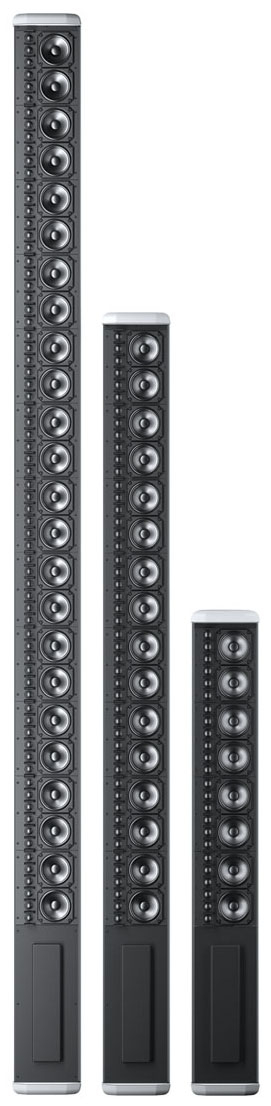
CAL 96, CAL 64, and CAL 32 (Shown without Grille Frames)
The CAL loudspeaker is available in three models, each providing a different output level—up to a maximum peak SPL of 106 dB at 90 meters with CAL 96—over an operating frequency range of 100 Hz to 16 kHz. Providing a horizontal coverage of 120°, as well as the flexibility of vertical beam steering, a single unobtrusive CAL delivers clear vocal reproduction over a large area while minimizing undesirable reflections.
Discrete onboard class D amplifier channels power each driver and tweeter. The amplitude and phase response of each driver are engineered to produce interactions that yield the desired vertical spread. Controlling each driver individually yields greater flexibility and precision than other beam steering systems that control modules comprising multiple drivers.
The accuracy of the CAL loudspeaker’s vertical steering allows system designers to pinpoint coverage, even when mounting options in a venue do not allow for physically aiming a loudspeaker toward a coverage area. CAL 96 and CAL 64 include the option to split the acoustic output into two beams; each can be configured to fit the application (for example, to avoid hitting a reflective balcony surface). To meet the high intelligibility requirement for vocal reproduction, CAL maintains accurate beam steering up to 10 kHz, well beyond the benchmark of 4 kHz used in traditional single-driver loudspeakers.
CAL loudspeakers include an AVB-enabled Ethernet port that accepts AVB audio streams as source signals and provides computer control of CAL via Meyer Sound’s Compass® Control Software. This software supports beam control and RMS™ real-time monitoring of each loudspeaker on the network.
CAL comes standard with adjustable mounting brackets for installation on walls or columns. The low-profile aluminum enclosure is available in white, black and custom colors, allowing it to blend easily into any background. Standard weather protection permits outdoor installations in most environments.
CAL Installation Overview
Below is a basic overview of installing and using the CAL loudspeaker. Meyer Sound recommends that users read this document in its entirety before proceeding.
Use CAL’s included mounting brackets to mount the loudspeaker on a wall or column. For more information, see Mounting CAL Loudspeakers.
Remove CAL’s user panel cover. For more information, see User Panel Cover.
Connect CAL to an appropriate power source with the included power cable. For power requirements, see Power Requirements.
Connect an audio source to one of CAL’s three analog balanced audio inputs, to its AES/EBU digital input, or to its AVB port. For more information, see Audio Input.
Tip
You can connect a second audio source to one of the audio inputs to be used as an override signal.
Connect to CAL’s logic I/O ports any external devices you want to use for muting and overriding audio sources, detecting loudspeaker faults, and changing presets. For more information, see Logic I/O Ports.
Connect CAL to your computer’s Ethernet port or to a network router or network switch using a CAT-5e (or better) cable. For more information, see Ethernet and AVB Ports.
Install Compass Control Software and download the CAL Pattern files: meyersound.com/product/compass/#software Copy them to the COMPASS/CAL folder.
Launch Compass Control Software and configure CAL’s audio inputs, vertical beam spread, vertical beam angle, and processing.
Reattach CAL’s user panel cover. For more information, see “User Panel Cover” on page 12.
Caution
When installing CAL outdoors, the user panel cover should always be attached to protect the user panel connectors from environmental elements.
Tip
For more information, refer to the Compass support videos: meyersound.com/product/compass/#support-videos.
Power Requirements
CAL loudspeakers combine advanced loudspeaker technology with equally advanced power capabilities. Understanding voltage and current requirements, as well as electrical safety issues, is critical for safe operation of the CAL loudspeaker.
AC Input Connector
The CAL loudspeaker receives AC power from its 3-pole, grounded powerCON 20 locking connector. Located on the unit’s rear panel, the locking connector is rated for up to 20 A. A 10-foot AC power cable, rated at 15 amps, is included with each CAL loudspeaker.
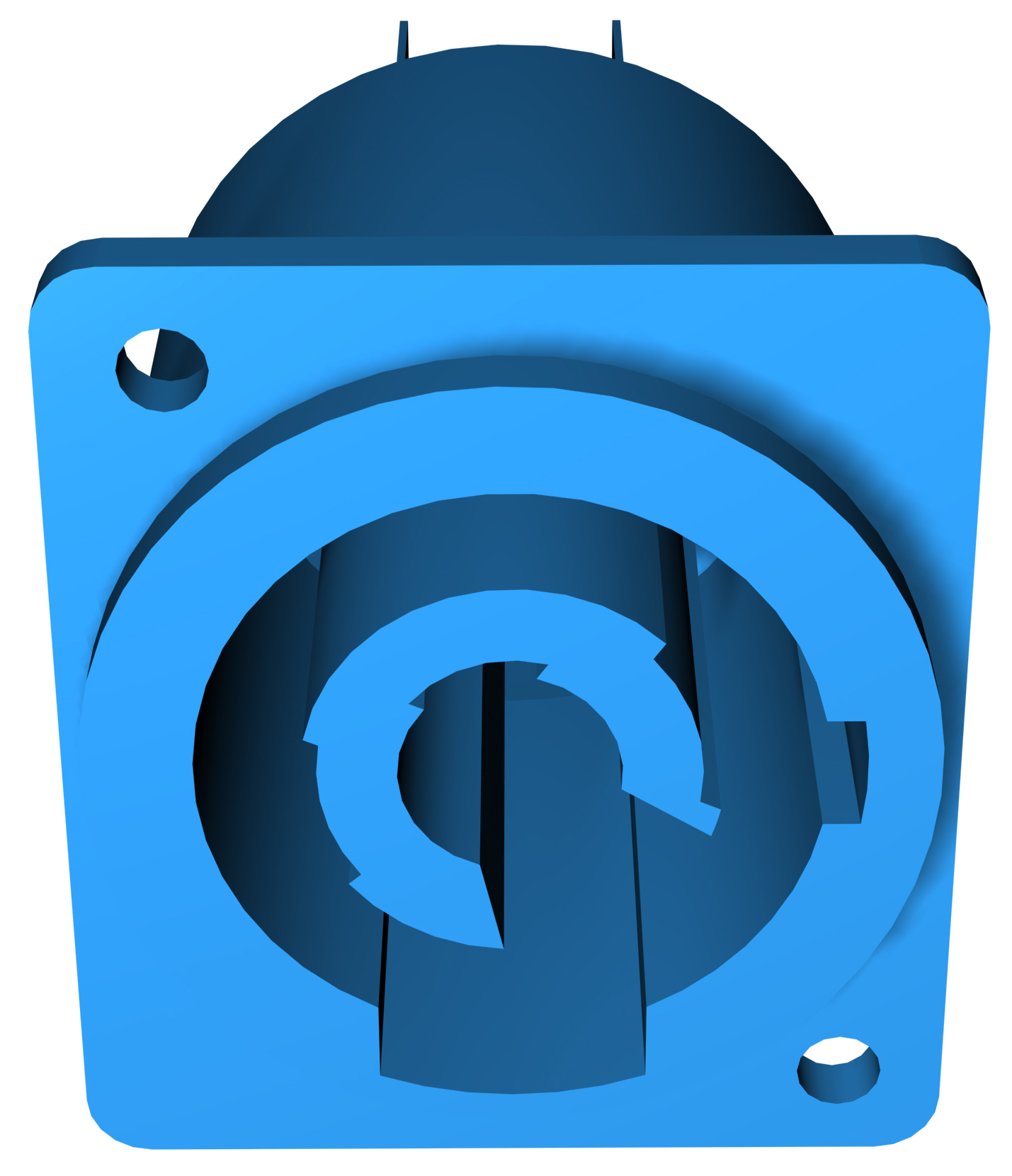 |
CAL AC Input Connector
If you replace the included AC power cable, make sure to use a cable that is wired correctly and equipped with the appropriate power plug (on the other end) for the area in which you will operate the unit.
Wiring for AC Connections
CAL loudspeakers require a grounded outlet. To operate safely and effectively, it is extremely important that the entire system be properly grounded.
 |
AC Cable Wiring Scheme
When wiring international or special-purpose AC power cables and connectors, use the following wiring scheme:
Connect the blue wire to the black terminal, or the terminal marked with an N.
Connect the brown wire to the red terminal, or the terminal marked with an L.
Connect the yellow and green wire to the green (or green and yellow) terminal, or the terminal marked with an E.
Caution
When creating AC power cables, it is important to preserve AC line polarity and connect the earth ground on both ends of the cable. CAL requires a grounded connection. Always use a grounded outlet and plug. It is extremely important that the system be properly grounded in order to operate safely and properly. Do not ground-lift the AC cable.
CAL Voltage Requirements
CAL operates as intended when the AC voltage stays within the rated voltage range of 100–240 V AC ± 10% at 50–60 Hz.
If the voltage drops below 90 V, CAL uses stored power to continue operating temporarily; the power supply turns off if the voltage does not return to normal levels.
If the voltage rises above 264 V, the CAL power supply immediately turns off to prevent damage to the unit.
If CAL turns off due to either low or high voltage, its power supply automatically turns on again after 3 seconds, so long as the voltage has returned to normal levels. If CAL does not turn back on after 10 seconds, remove AC power immediately and contact Meyer Sound Technical Support.
Caution
The power source for CAL should always operate within the required voltage range, at least a few volts from the upper and lower ranges. This will ensure that AC voltage variations from the service entry—or peak voltage drops due to cable runs—will not cause the loudspeaker’s amplifiers to cycle on and off or cause damage to the power supply.
Note
When voltage fluctuates within CAL’s rated voltage range, automatic tap selection stabilizes the operating voltage. This tap selection is instantaneous with no audible artifacts.
Because CAL does not require a dedicated neutral line, and it can tolerate elevated voltages from the ground line, it can be connected to line-line terminals in 120 V, 3-phase Wye systems. This results in 208 V AC between lines (nominal) and therefore draws less current than when using 120 V AC (line-neutral). Make sure that the voltage remains within CAL’s recommended operating window (100–240 V AC ± 10%). The ground line must always be used for safety reasons and the line-to-ground voltage should never exceed 264 V AC (typically 120 V AC from line-to-ground).
 |
3-Phase Wye System
Powering on CAL Loudspeakers
When AC power is applied to CAL, its Intelligent AC™ power supply automatically selects the correct operating voltage, allowing it to be used internationally without manually setting voltage switches. In addition, Intelligent AC provides soft-start power on (eliminating high inrush currents), suppresses high-voltage transients up to several kilovolts, filters common mode and differential mode radio frequencies (EMI), and sustains operation temporarily during low-voltage periods.
When powering on CAL, the following startup events occur over several seconds:
Audio output is muted.
Voltage is detected and the power supply mode is automatically adjusted as necessary. The power supply ramps up.
After the power on sequence and system check have completed, the audio output is unmuted, the ON/Status LED turns solid green, indicating the loudspeaker is ready to reproduce audio.
Caution
If the ON/Status LED does not turn solid green after powering on and audio is muted, the loudspeaker has encountered a failure and may need to be serviced. Contact Meyer Sound Technical Support.
CAL Current Requirements
The current draw for CAL is dynamic and fluctuates as operating levels change. Because different cables and circuit breakers heat up at varying rates, it is important to understand the following types of current ratings and how they affect circuit breaker and cable specifications.
Idle Current — The maximum rms current during idle periods.
Maximum Long-Term Continuous Current — The maximum rms current during a period of at least 10 seconds. The Maximum Long-Term Continuous Current is used to calculate temperature increases for cables and to ensure that cable sizes and gauges conform to electrical code standards. The current rating is also used as a rating for slow-reacting thermal breakers.
Burst Current — The maximum rms current during a period of around one second. The Burst Current is used as a rating for magnetic breakers. It is also used for calculating the peak voltage drop in long AC cable runs according to the following formula:
V pk (drop) = I pk x R (cable total)
The Burst Current can also be used to calculate the AC looping capability of CAL.
Ultimate Short-Term Peak Current — A rating for fast-reacting magnetic breakers.
Inrush Current — The spike of initial current encountered when powering on.
You can use the following table as a guide for selecting cable gauges and circuit breaker ratings for the system’s operating voltage.
Current Draw | Model | 115 V AC | 230 V AC | 100 V AC |
|---|---|---|---|---|
Idle | CAL 96 | 1.98 A rms | 1.63 A rms | 2.32 A rms |
CAL 64 | 1.24 A rms | 0.99 A rms | 1.42 A rms | |
CAL 32 | 0.58 A rms | 0.45 A rms | 0.65 A rms | |
Maximum Long-Term Continuous | CAL 96 | 8.3 A rms | 4.2 A rms | 9.4 A rms |
CAL 64 | 6.1 A rms | 3.1 A rms | 6.9 A rms | |
CAL 32 | 3.3 A rms | 1.7 A rms | 3.7 A rms | |
Burst | CAL 96 | 14.7 A rms | 7.3 A rms | 18.5 A rms |
CAL 64 | 10.8 A rms | 5.4 A rms | 13.6 A rms | |
CAL 32 | 5.9 A rms | 2.9 A rms | 7.4 A rms | |
Maximum Instantaneous Peak | CAL 96 | 33 A peak | 18 A peak | 40 A peak |
CAL 64 | 24 A peak | 13 A peak | 29 A peak | |
CAL 32 | 13 A peak | 7 A peak | 16 A peak | |
Inrush | CAL 96 | <20 A peak | ||
CAL 64 | <20 A peak | |||
CAL 32 | <20 A peak | |||
The minimum electrical service amperage required by a CAL loudspeaker system is the sum of the Maximum Long-Term Continuous Current for each loudspeaker. An additional
30 percent above the minimum amperage is recommended to prevent peak voltage drops at the service entry.
Note
For best performance, the AC cable voltage drop should not exceed 10 V, or 10 percent at 115 V and 5 percent at 230 V. Make sure that the AC voltage always remains within the recommended operating window—including voltage drops.
Electrical Safety Issues
Pay close attention to these important electrical and safety issues.
CAL requires a grounded outlet. Always use a grounded outlet and plug.

Do not use a ground-lifting adapter or cut the AC cable ground pin.

Make sure the AC power cable for the loudspeaker has the appropriate power plug (on the other end) for the area in which you will operate the loudspeaker. In addition, the AC power cable must be rated for the total current draw of all loudspeakers looped from the power source. The included power cable is rated for a maximum of 15 A.
Do not operate the unit if its power cable is frayed or broken.
Keep all liquids away from CAL loudspeakers to avoid hazards from electrical shock.
CAL User Panel
The CAL user panel includes audio input connectors, both analog and digital (AES/EBU), for receiving audio source signals. It also includes logic connectors for selecting presets, overriding and muting audio output, and monitoring loudspeaker faults. The Ethernet and AVB network audio ports allow interfacing with a Mac or Windows-based computer running Compass Control Software. The AVB-enabled Ethernet port can also be used for receiving AVB audio streams as audio source signals.
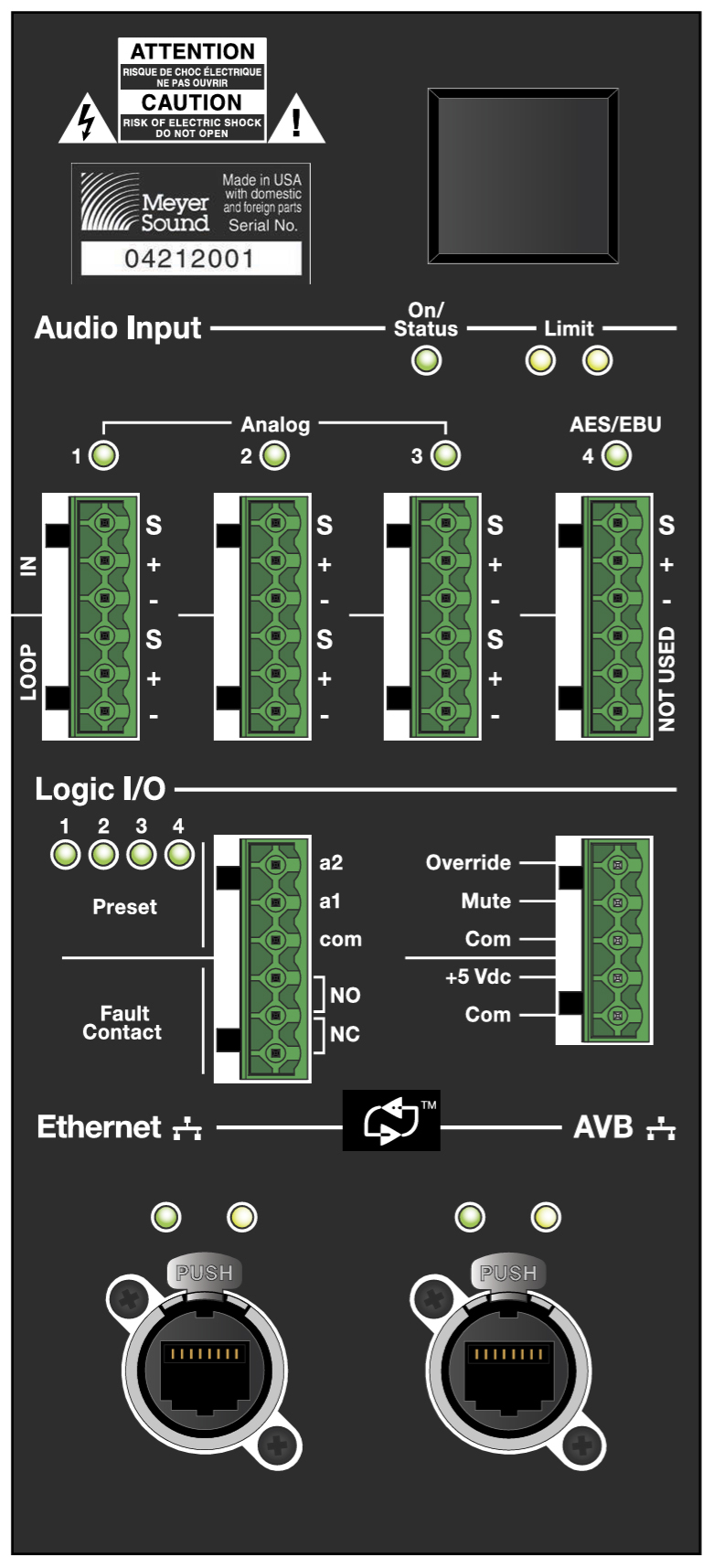 |
CAL User Panel
Audio Input
CAL includes four numbered audio inputs: three analog and one digital. The three analog inputs also provide loop output for looping multiple loudspeakers from a single audio source. In Compass control software, a single input is specified as the active input, and another input can be specified as an override input (when the installation requires CAL to function as part of a fire alarm or evacuation system).
Note
AVB audio streams received by the AVB port can also be used as audio sources. For more information, see OLED Button.
CAL ships from the factory with Analog Input 1 selected as the active input, and no input selected for the override input. These inputs can be changed with Compass Control Software.
Tip
For more information, refer to the Compass support videos: meyersound.com/product/compass/#support-videos.
Analog Inputs (1–3)
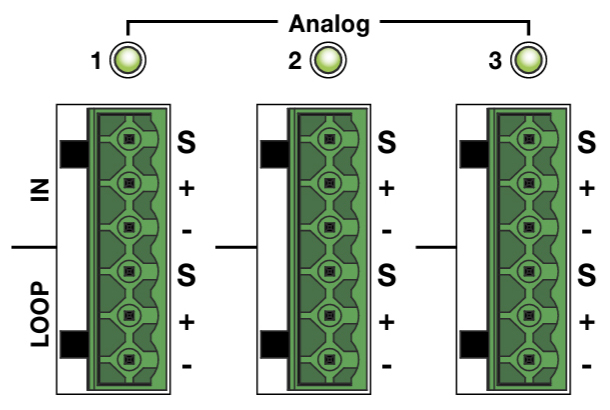 |
Analog Audio Input and Loop Output Connectors
The three analog inputs use Phoenix 6-pin male connectors and accept balanced audio signals with an input impedance of 10 kOhm. The analog audio source is received via the connector’s top three pins (shield, positive, and negative). The signal is looped to the connector’s bottom three pins (also shield, positive, and negative) for output when looping multiple loudspeakers from a single audio source. The pins for the analog connectors are clearly labeled on the CAL user panel.
The positive (+) and negative (–) pins carry the input as a differential signal. The shield (S) pin is connected to earth through a 1 kOhm, 1000 pF, 15 V clamped network. This circuitry provides virtual ground lift for audio frequencies while allowing unwanted signals to bleed to ground. When assembling cables, make sure all three pins are connected on both ends. Telescopic grounding is not recommended.
Shorting the shield of the audio input to the chassis of the CAL may cause a ground loop, resulting in hum.
Looping CAL Loudspeakers
The Analog input connectors allow multiple CAL loudspeakers to be looped from a single audio source. Connect the loop output pins of the first loudspeaker to the input pins of the second loudspeaker, and so forth. The loop output pins are wired in parallel to the input pins and transmit the unbuffered source signal even when the loudspeaker is powered off.
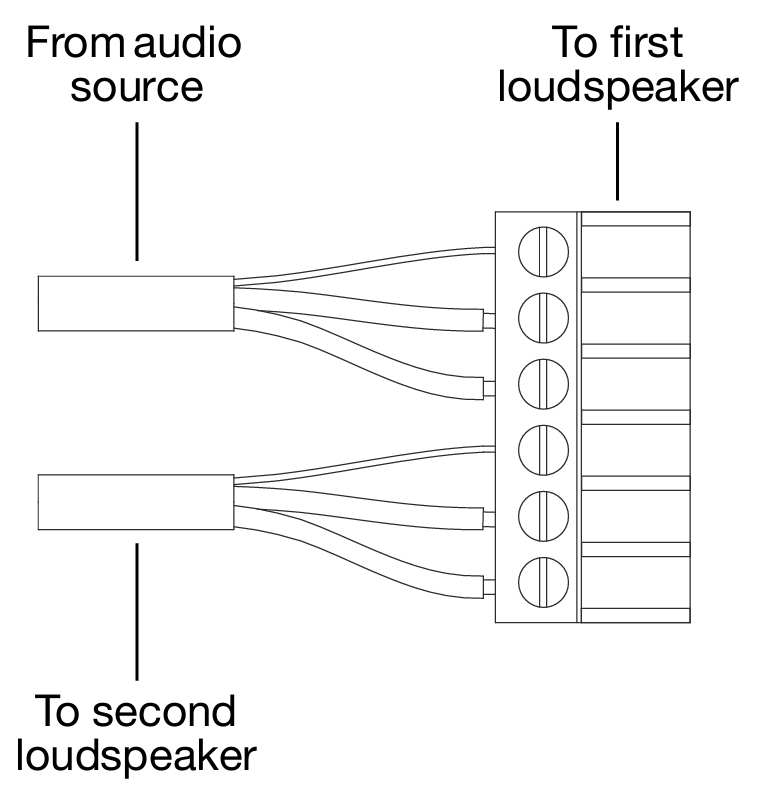 |
Phoenix cable wired for looped audio
To avoid distortion when looping multiple CAL loudspeakers, make sure the source device can drive the total load impedance of the looped loudspeakers. In addition, the source device must be capable of delivering 20 dBV (10 V rms into 600 ohms) to yield the maximum peak SPL over the operating bandwidth of the loudspeaker.
To calculate the load impedance for the looped loudspeakers, divide 10 kOhms (the input impedance for a single CAL) by the number of looped loudspeakers. For example, the load impedance for 10 CAL loudspeakers is 1000 ohms (10 kOhms / 10). To drive this number of looped loudspeakers, the source device should have an output impedance of 100 ohms or less.
Note
Most source devices are capable of driving loads no smaller than 10 times their output impedance.
Make sure that cabling for looped loudspeakers is wired correctly (shield to shield, positive to positive, and negative to negative) to prevent the polarity from being reversed. If one or more loudspeakers in a system have reversed polarity, frequency response and coverage can be significantly degraded.
Digital AES/EBU (4)
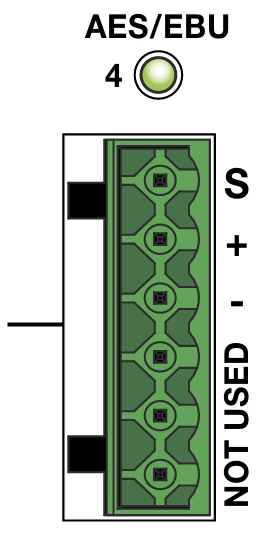 |
AES/EBU Input Connector
The digital input uses a Phoenix 6-pin male connector and accepts an AES3 digital audio signal. The digital audio source is received via the connector’s top three pins (shield, positive, and negative). The connector’s bottom three pins are not used. The pins for the digital connector are clearly labeled on the CAL user panel.
Note
The AES/EBU port accepts single-channel (mono) digital audio sources. When connecting AES/EBU audio sources to CAL, you must specify in Compass control software whether the left channel (AES L) or right channel (AES R) will be used
On/Status LED
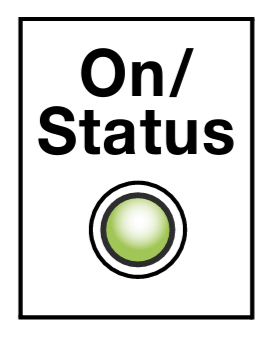 |
On/Status LED
During normal operation, CAL’s On/Status LED is green. If the loudspeaker’s internal temperature reaches 75° C (167° F), the LED turns solid yellow and the loudspeaker’s gain is reduced by 3 dB. Though CAL will continue to operate normally with the lower gain, when the On/Status LED is yellow, this is an indication that the loudspeaker is reaching its maximum heat dissipation and a reduction of input level is recommended. When the loudspeaker’s internal temperature cools to 60° C (140° F), the amplifier returns to normal operation.
Drivers are subjected to excessive heat and excursion, which will compromise their life span and may eventually cause damage over time.
Caution
The Limit LEDs indicate when a safe, optimum level is exceeded. If a CAL loudspeaker begins to limit before reaching the required SPL, consider replacing it with a CAL model with more amplifier channels/drivers, or consider adding more CAL loudspeakers to the system to achieve the desired SPL without exposing the loudspeakers to excessive levels and possible overheating
Tip
When CAL is connected to a computer running Compass Control Software, the RMS tab provides additional feedback and warnings, if encountered, about the loudspeaker’s operating temperature.
Limit LEDs
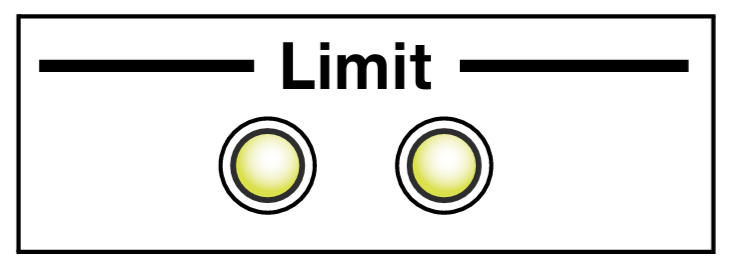 |
Limit LEDs
When the audio input level of a CAL would cause the amplifiers to exceed the maximum output levels for its drivers, CAL, limiting is engaged and is indicated by the two Limit LEDs on the CAL user panel. The left LED indicates limiting for low-frequency channels while the right LED indicates limiting for high-frequency channels. When engaged, limiting not only protects the drivers, but also prevents signal peaks from causing excessive distortion in the amplifier channels, thereby preserving headroom and maintaining smooth frequency responses at high levels. When source levels return to normal, below the limiter’s threshold, limiting ceases.
CAL performs within its acoustical specifications when the Limit LEDs are unlit, or if the LEDs are lit for 2 seconds or less and then turn off for at least 1 second. If an LED remains lit for longer than 3 seconds, the loudspeaker enters hard limiting where:
Increases to the input level have no effect.
Distortion increases due to clipping and nonlinear driver operation.
Drivers are subjected to excessive heat and excursion, which will compromise their life span and may eventually cause damage over time.
Caution
The Limit LEDs indicate when a safe, optimum level is exceeded. If a CAL loudspeaker begins to limit before reaching the required SPL, consider replacing it with a CAL model with more amplifier channels/drivers, or consider adding more CAL loudspeakers to the system to achieve the desired SPL without exposing the loudspeakers to excessive levels and possible overheating.
Logic I/O Ports
The Logic I/O connectors provide a range of control and monitoring for CAL, including changing presets, overriding and muting the input signal, monitoring loudspeaker faults, and providing voltage output. The Logic I/O connectors are optically isolated from the CAL loudspeaker circuitry. The three COM pins are isolated from each other to set the reference voltage for their associated logic pins. A logic pin is triggered when it receives a voltage of 3 to 20 V DC greater than its associated COM voltage.
Caution
Do not send voltages greater than 20 V DC to the Logic I/O pins as this may damage the input circuitry.
Presets 1–4
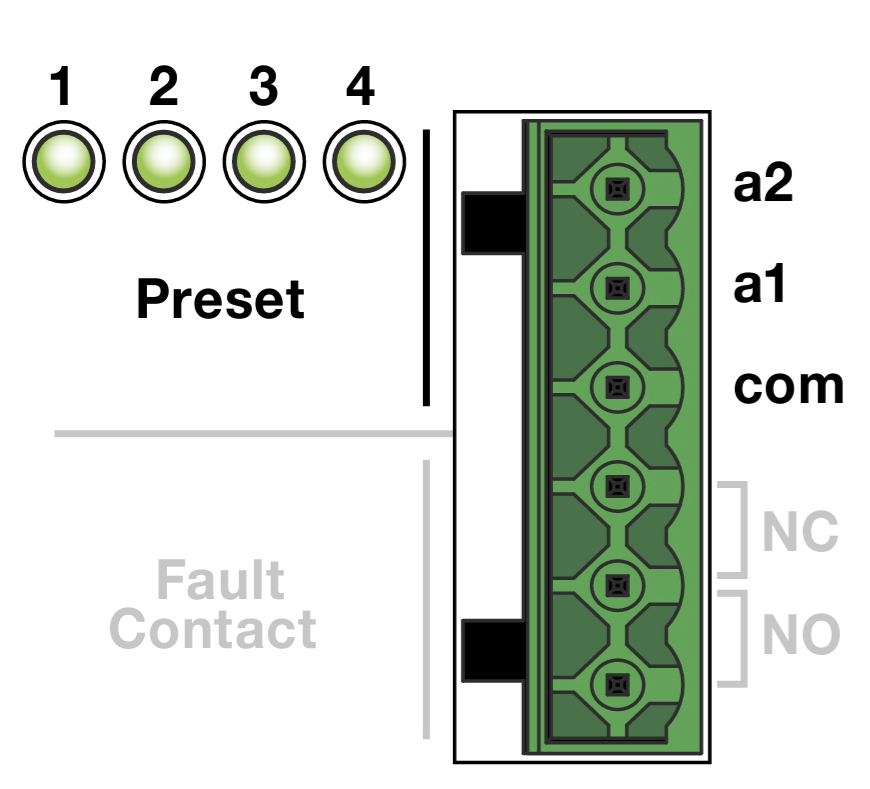 |
Preset Pins
CAL presets recall loudspeaker settings for beam control and processing (5-band parametric EQ, gain, and delay). Presets are edited in Compass Control Software. An unlimited number of presets can be saved and stored on your computer but only four presets can be stored in the CAL loudspeaker. When CAL is not connected to a computer, presets can be selected by sending control voltages to the A1 and A2 pins.
The table below illustrates the logic for selecting presets with control voltages.
A1 | A2 | |
|---|---|---|
Preset 1 | 0 | 0 |
Preset 2 | 1 | 0 |
Preset 3 | 0 | 1 |
Preset 4 | 1 | 1 |
For example, to select preset 2, a voltage of 3 V DC is sent to the A1 pin while 0 V DC is sent to the A2 and COM pins.
Note
The A1 and A2 pins are triggered when receiving a voltage of 3 to 20 V DC greater than their associated COM voltage.
CAL Factory Presets
A summary of the beam settings for the CAL factory presets is shown in Table 2. CAL ships from the factory with these presets loaded into the loudspeaker. The presets can be edited and overwritten with Compass Control Software.
Tip
For more information, refer to the Compass support videos: meyersound.com/product/compass/#support-videos.
Vertical Beam Angle | Vertical Beam Spread | Vertical Beam Split | |
|---|---|---|---|
Preset 1 | 0° | 5° | None |
Preset 2 | 5° | 5° | None |
Preset 3 | -17° | 25° | None |
Preset 4 | -30° | 5° | None |
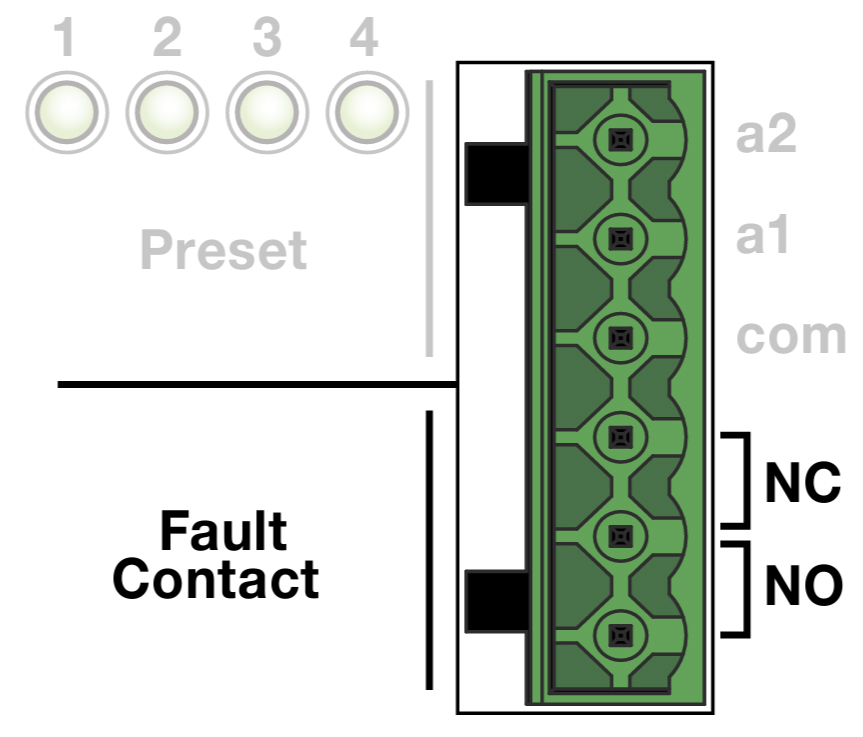 |
Fault Contact Pins
The Fault Contact pins report when CAL shuts down or is no longer active. When CAL is powered on and working normally, the NO (normally-open) pins are open and the NC (normally-closed) pins are shorted together. When the loudspeaker is powered off, its internal relays switch so that the NO (normally-open) pins are shorted and the NC (normally-closed) pins are opened. The three Fault Contact pins are provided to accommodate monitoring for either short circuits or open circuits.
Override and Mute
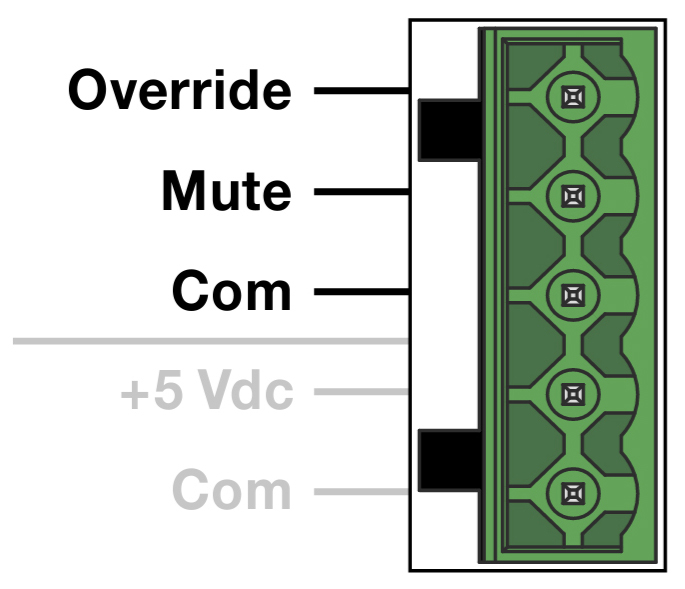 |
Override and Mute Pins
For installations where CAL is part of a fire alarm or evacuation system, the loudspeaker’s active audio input (main program source) can be muted or replaced with an override input (alarm or emergency announcement source). The mute or override can be triggered with a relay closure attached to the Mute or Override pins.
The Mute pin is triggered when it receives a voltage of 3 to 20 V DC greater than its associated COM pin. When triggered, the Mute pin instructs CAL to mute its audio output.
The Override pin is triggered when it receives a voltage of 3 to 20 V DC greater than its associated COM pin. When triggered, the Override pin instructs CAL to override the active audio input with the override input. Both the active input and override input are specified in Compass control software.
+5 V DC Power Source
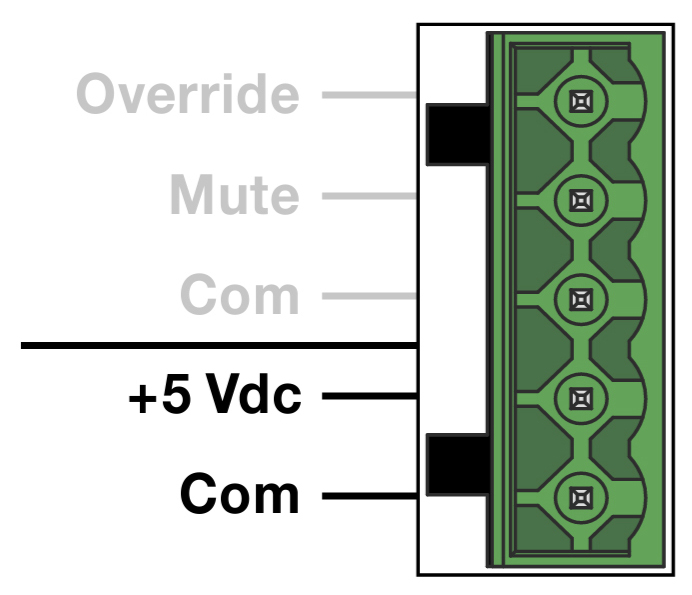 |
+5 V DC Pins
CAL offers a local +5 V DC power source as a convenient means for controlling its Logic I/O features. The +5 V DC pins provide an isolated +5 V DC output that can be connected to any of the Logic I/O pins through an external relay or switch, eliminating the need for an external control voltage. The +5 V DC pin is fused at 0.35 A.
Ethernet and AVB Ports
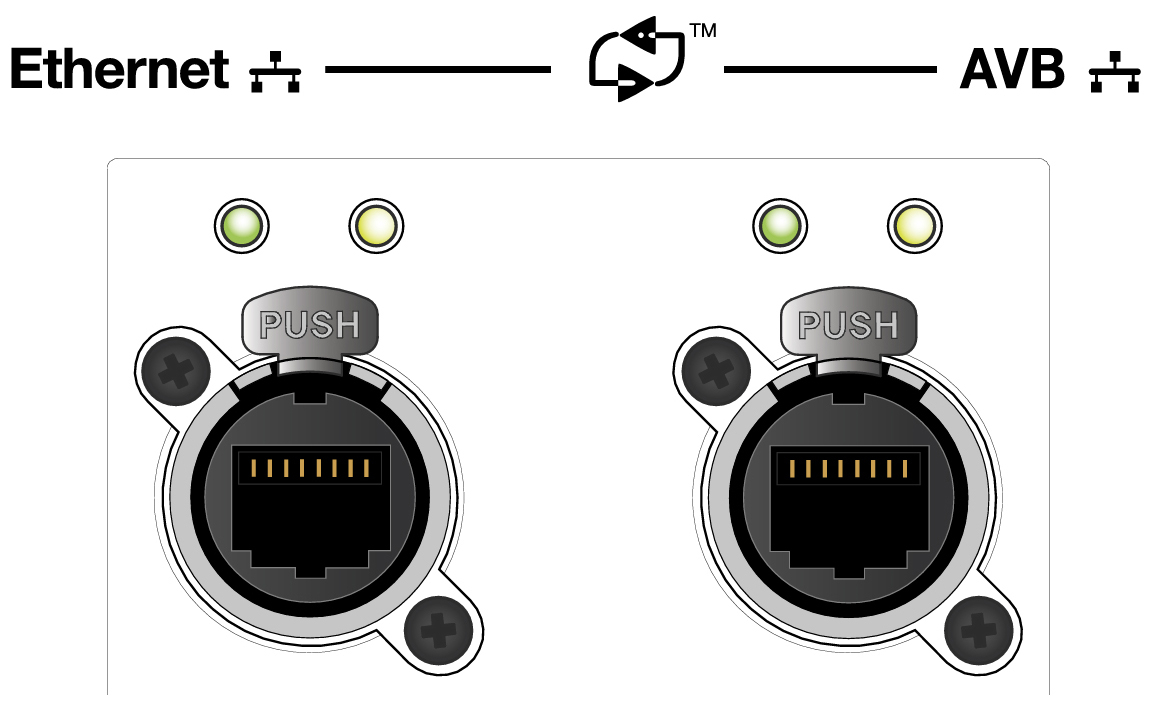 |
Ethernet and AVB Ports
CAL’s Ethernet and AVB ports use RJ-45 Ethernet connectors and allow the loudspeaker to be connected to a standard computer Ethernet port, network router, or switch with a CAT- 5e (or better) cable. Each port uses the IPv6 protocol for network communication and has an independent Media Access Control (MAC) address that is static and preassigned.
Note
The Ethernet and AVB ports do not provide loop output and do not allow looping of multiple CAL loudspeakers from a single audio source.
When CAL is connected to a Mac or Windows-based computer, Compass Control Software lets you configure beam spread and beam angle, and upload these settings as a preset to CAL. Compass Control Software also includes an RMS tab for remote monitoring of all CAL loudspeakers on the network.
The Ethernet and AVB ports accept AVB-enabled Ethernet connections for integrated AVB audio and Compass control.
AVB audio stream inputs can be used as audio sources. In Compass control software, AVB audio streams for the port can be specified as the active input or override input.
Note
For more information, see the AVB Networking Guide.
Ethernet and AVB Port LEDs
The yellow and green LEDs on each port indicate connection status and data traffic, as on standard Ethernet ports.
OLED Button
The OLED button is located in the upper right of the CAL user panel. During startup, the OLED displays the CAL loudspeaker’s Network port addresses. The addresses can also be viewed after startup.
Pushing the OLED button cycles through: Firmware version, MAC address/ID, Name, AVB Group/System name, Media Clock status, and AVB status.
Amplifier Cooling System
CAL employs a combination of natural convection and forced air in its cooling system. The amplifier’s heat sink provides natural convection cooling from the air flowing near its fins. In addition, a single-speed fan circulates air internally to ensure that CAL remains operational when exposed to high ambient temperatures or when driven continuously at high output levels.
Caution
The CAL heat sink can reach temperatures up to 85° C (185° F) during extreme operation. Use caution when approaching the rear of the loudspeaker.
User Panel Cover
A user panel cover is included with CAL to protect the connectors from dust in indoor installations and the environmental conditions of outdoor installations. The cover is installed by default and must be removed to gain access to the user panel.
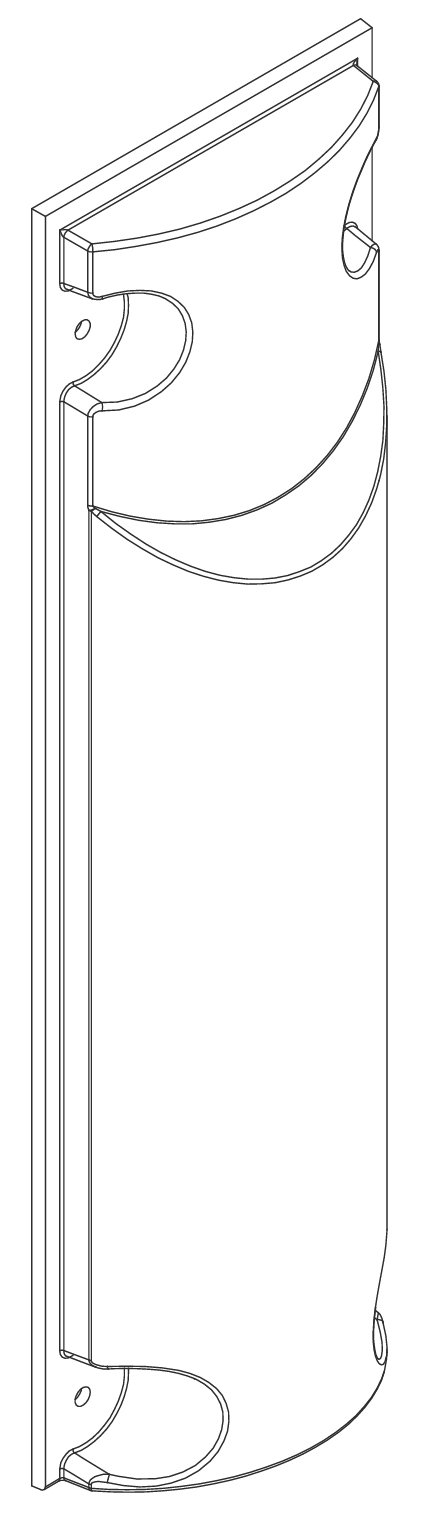 |
CAL User Panel Cover
Caution
When installing CAL outdoors, the user panel cover should always be attached to protect the user panel connectors from the environmental conditions.
Removing and Installing the User Panel Cover
Use a screwdriver to remove the four pan head Phillips 10-32 x 0.75-inch screws, securing the user panel cover to the CAL loudspeaker. The four washers adhered to the user panel should remain in place.
Attach any required cables to the user panel connectors.
Reattach the user panel cover, securing it with the previously removed pan head Phillips 10-32 x 0.75-inch screws, ensuring that the washers remain in place between the user panel and cover.
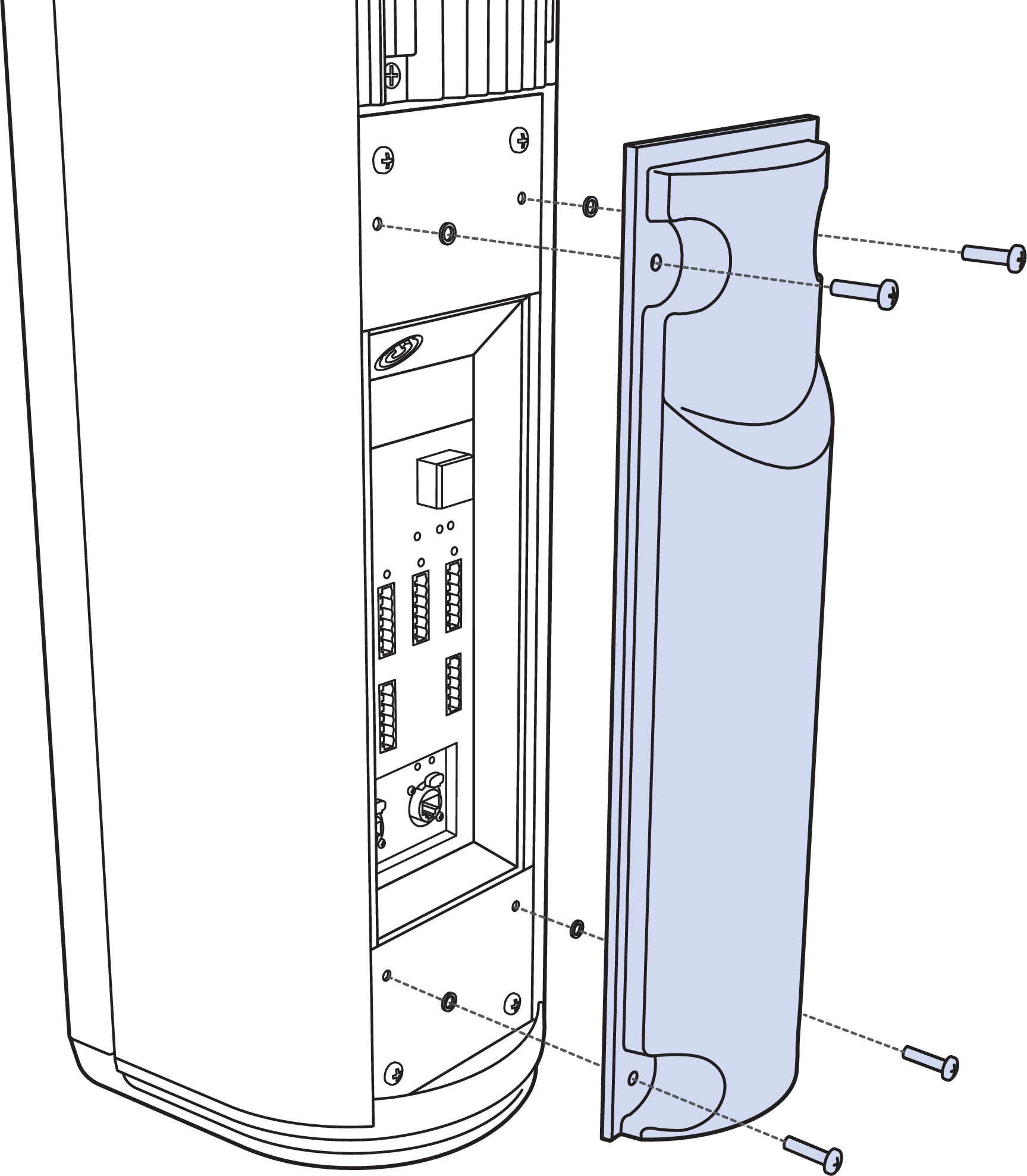
CAL User Panel Cover Attachment
CAL Coverage
The table below lists the supported horizontal and vertical coverages for the three CAL loudspeaker models.
Model | Horizontal Fixed Coverage | Vertical Beam Spread | Vertical Beam Angles | Vertical Beam Splits |
|---|---|---|---|---|
CAL 96 | 120° | 5° to 30° (in 5° increments) | ±30° (in 1° increments) | Top, Bottom |
CAL 64 | 120° | 5° to 30° (in 5° increments) | ±30° (in 1° increments) | Center |
CAL 32 | 120° | 5° to 30° (in 5° increments) | ±30° (in 1° increments) | None |
Note
You can connect a second audio source to one of the audio inputs to be used as an override signal.
Horizontal Fixed Coverage
All CAL loudspeakers have fixed horizontal coverage of 120°.
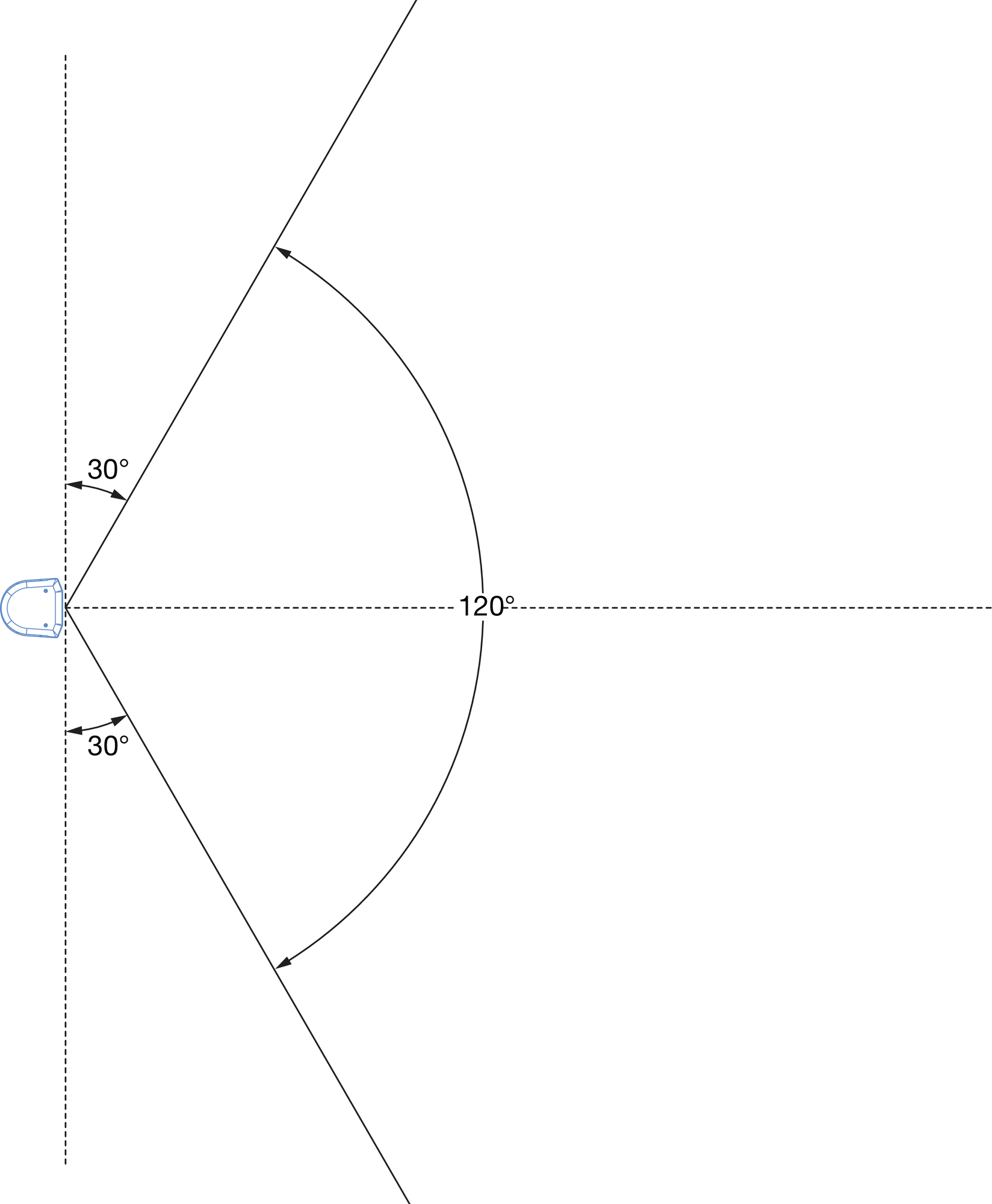 |
Horizontal Coverage
Vertical Beam Angle
All CAL loudspeakers include vertical beam angles of ±30° in 1° increments. The beams can also be of any supported vertical spread (from 5° to 30°).
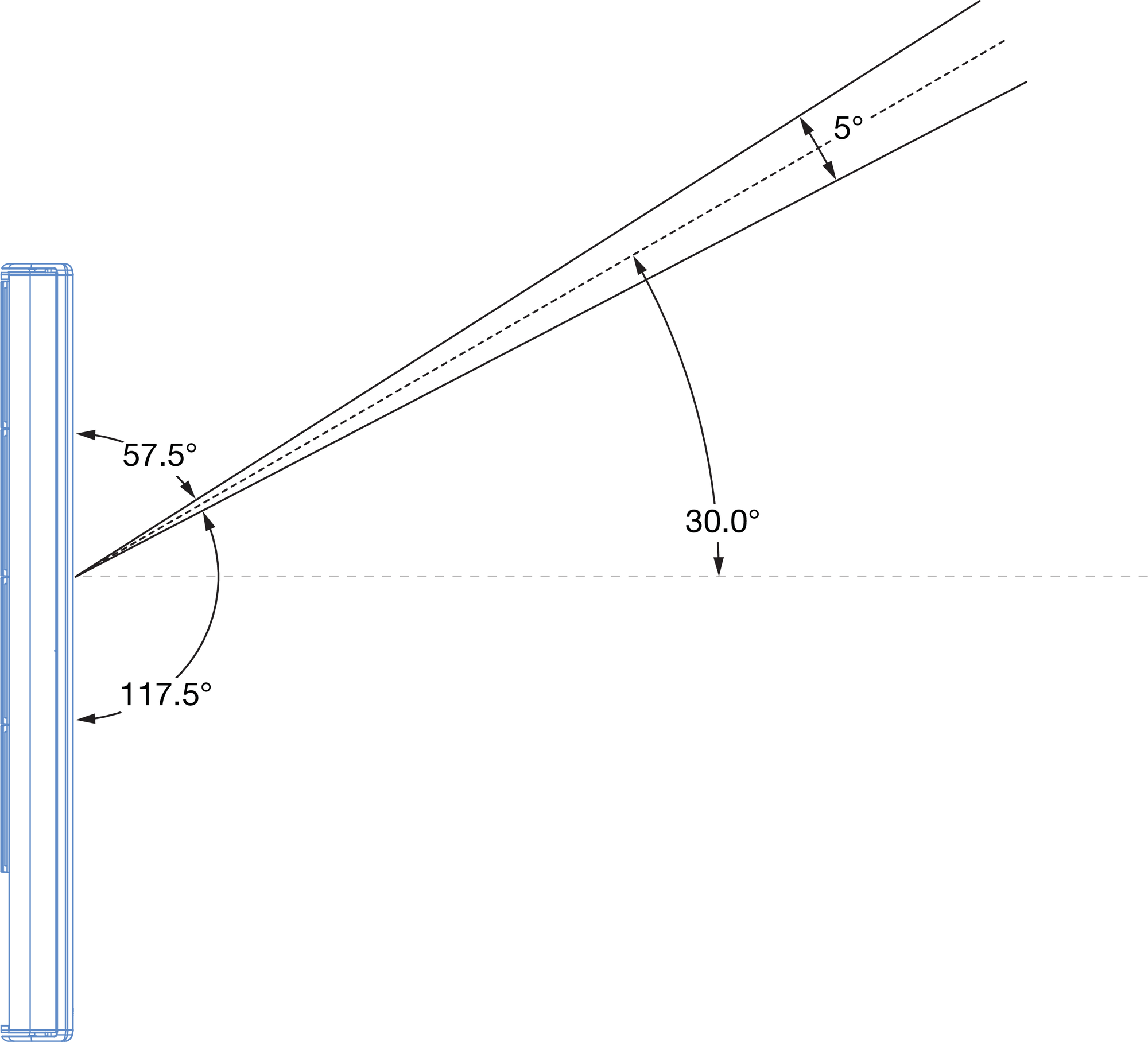 |
+30° Beam Angle with 5° Beam Spread
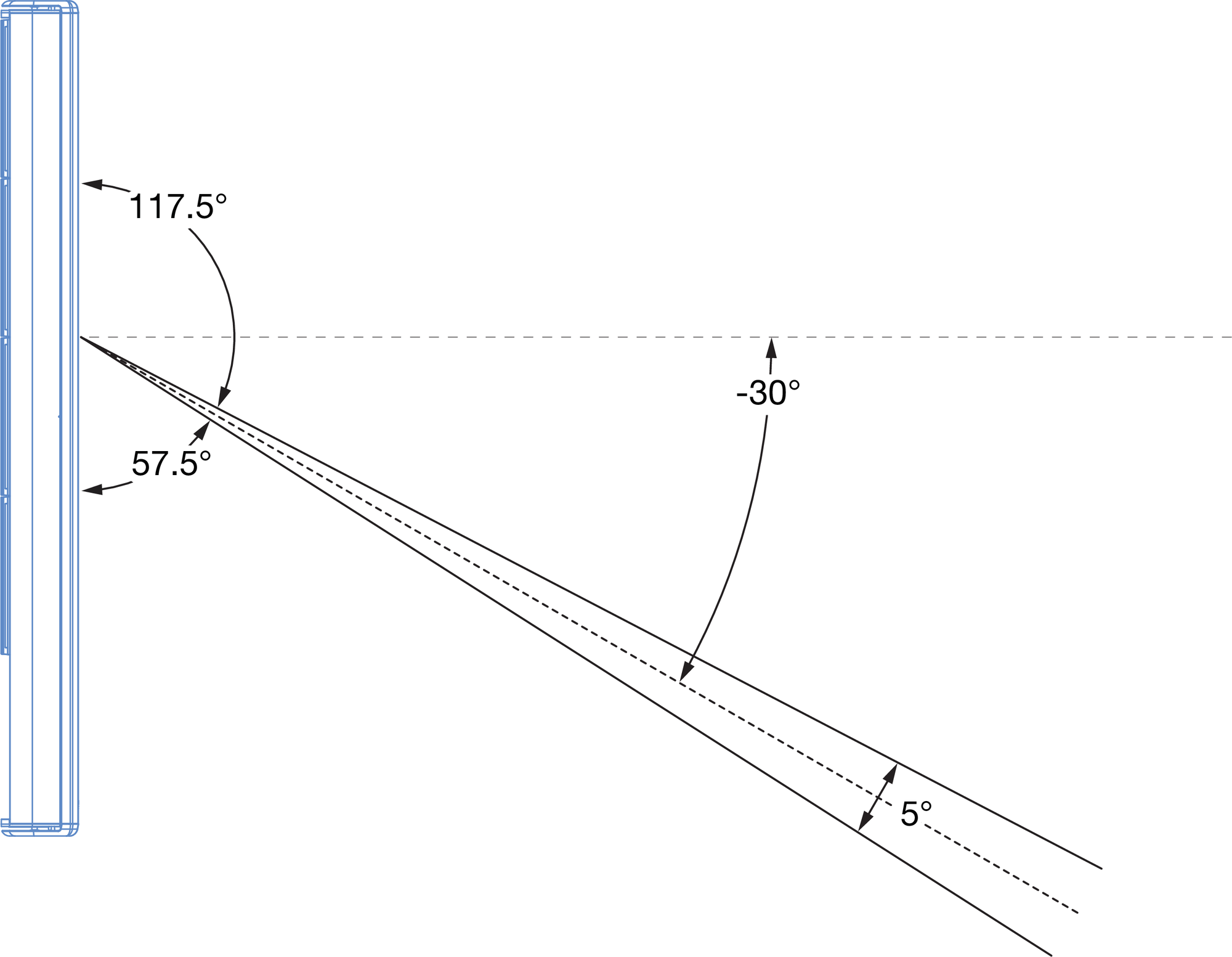 |
–30° Beam Angle with 5° Beam Spread
Vertical Beam Spread
All CAL loudspeakers include vertical beams with variable spreads from 5° to 30° in 5° increments. The vertical beams can also be steered.
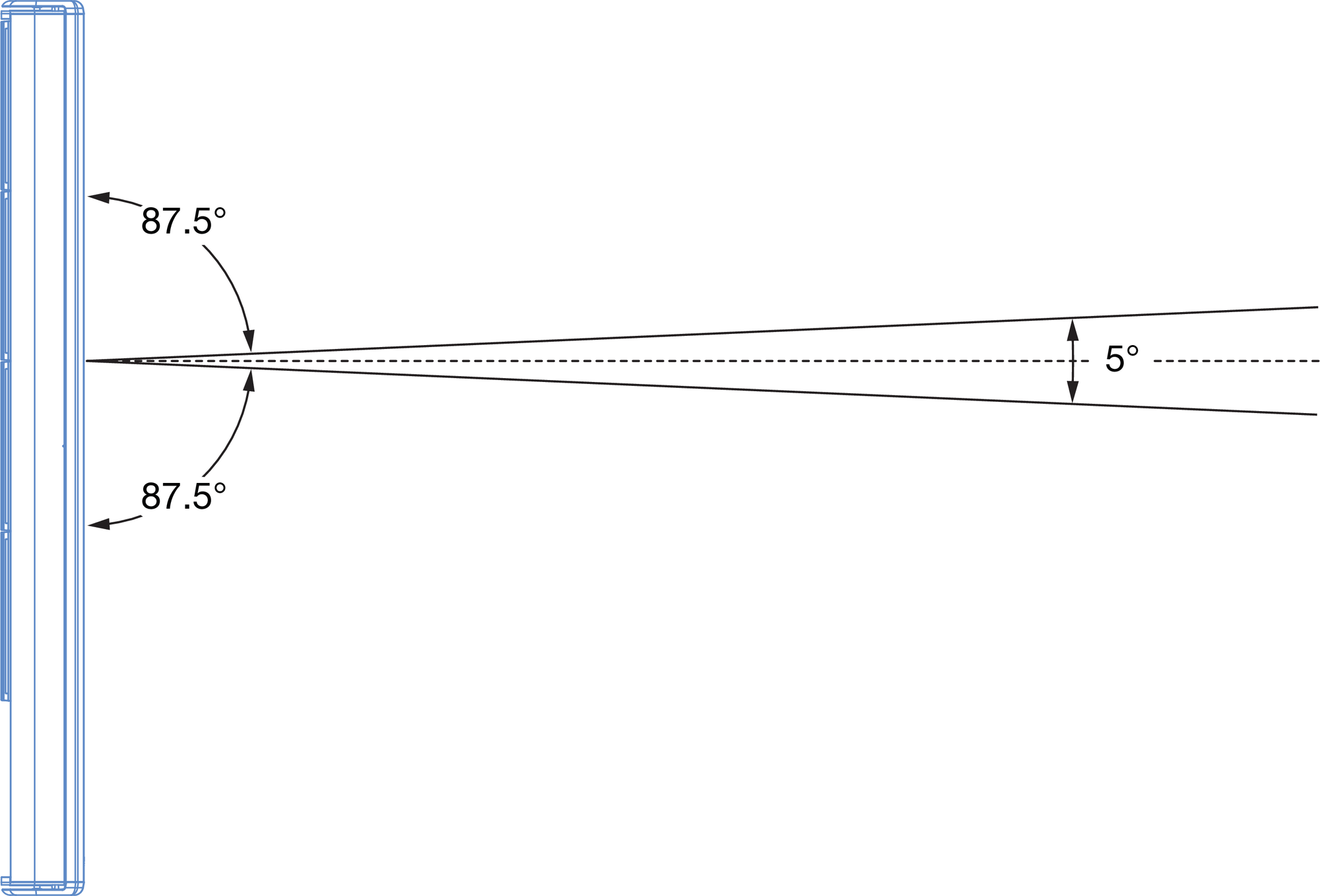 |
Minimum Vertical Beam Spread, 5°
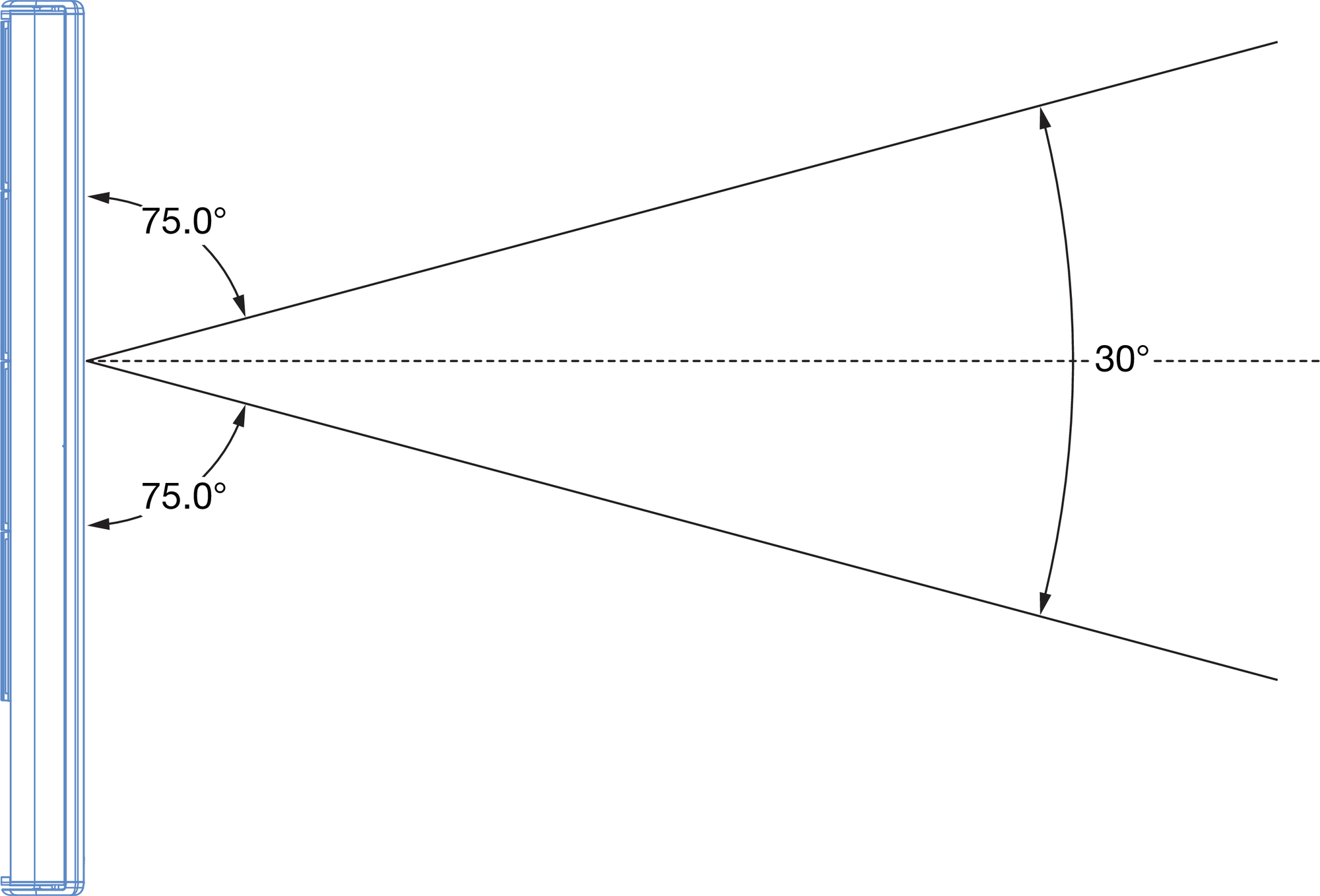 |
Maximum Vertical Beam Spread, 30°
The figure below illustrates the vertical acoustical center points for the three CAL models, from which the beams emanate. The acoustical center points also represent the axis for beam angles.
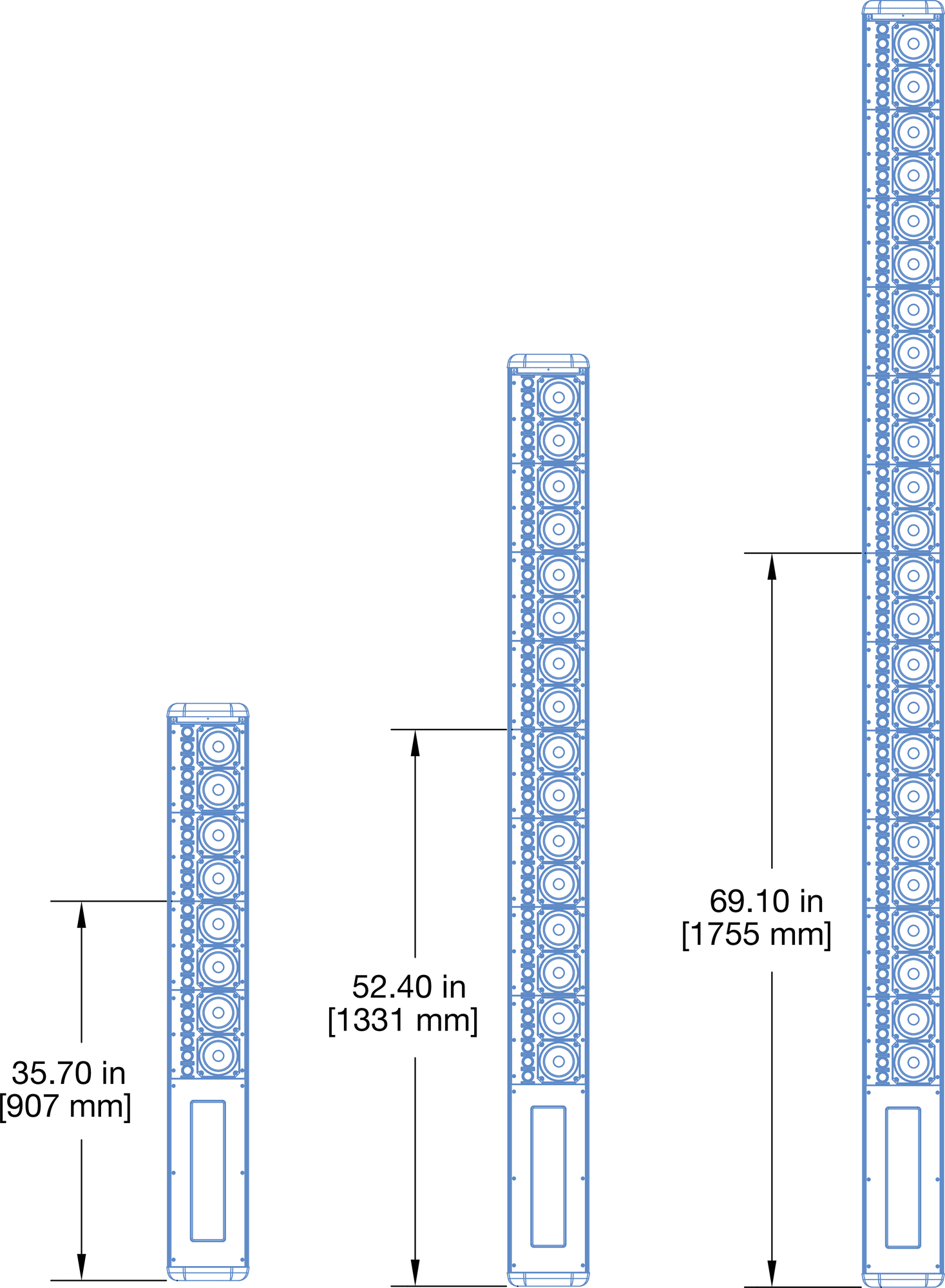 |
Acoustical Center Points for CAL 32, CAL 64, and CAL 96
Note
For the acoustical center points of beam split configurations, see Vertical Beam Splits.
Vertical Beam Splits
The CAL 64 and CAL 96 models include beam split coverage modes to aim sound toward two destinations or to avoid reflective surfaces such as a balcony. The beam splits can also be configured with beam angles (see Vertical Beam Angle) and beam spreads (see Vertical Beam Spread).
CAL 64 Center Split Beams
The CAL 64 and CAL 96 models include beam split coverage modes to aim sound toward two destinations or to avoid reflective surfaces such as a balcony. The beam splits can also be configured with beam angles (see Vertical Beam Angle) and beam spreads (see Vertical Beam Spread).
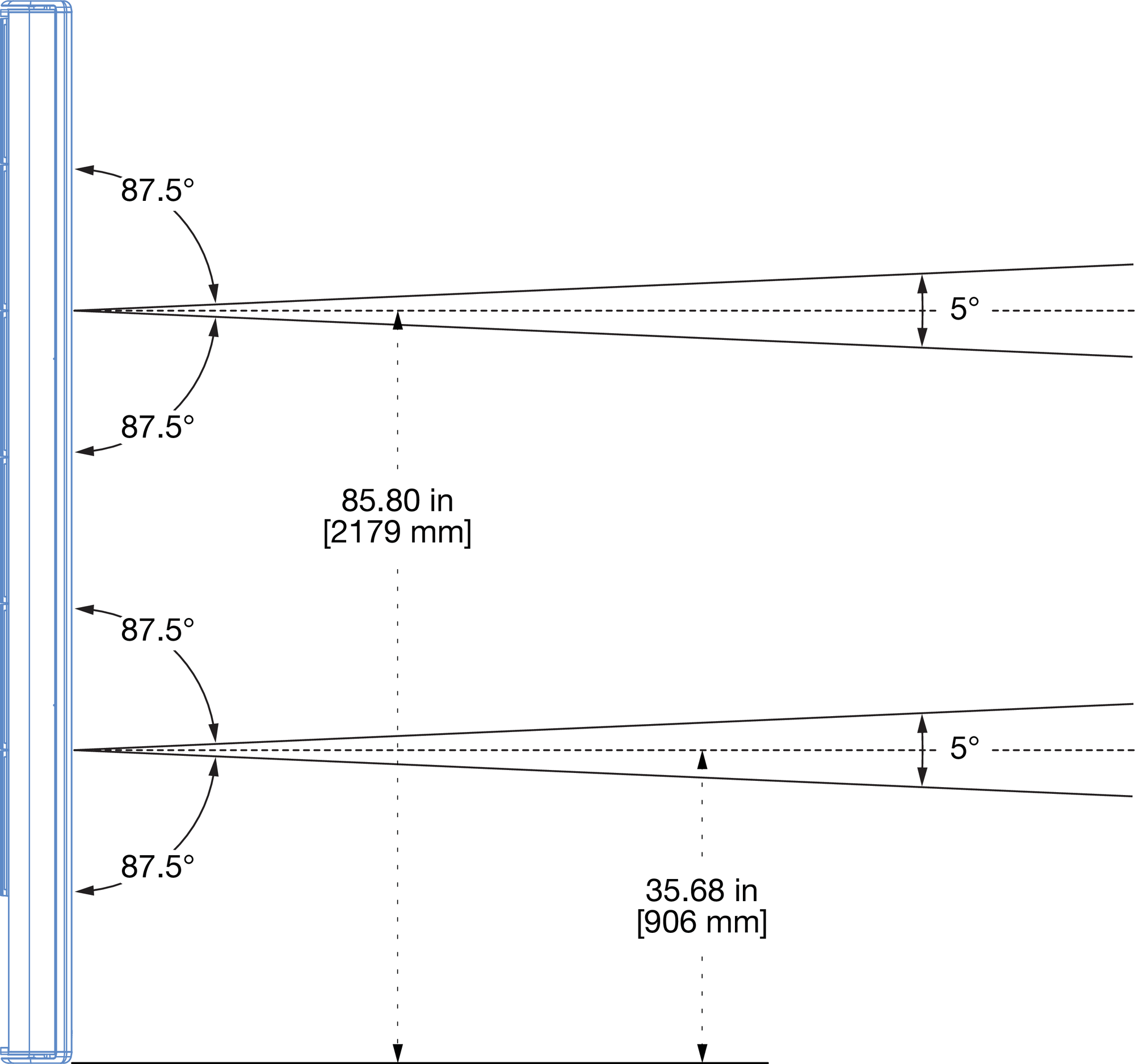 |
CAL 64 Center Split Beams with 5° Beam Spread
CAL 96 Top Split Beams
The CAL 96 model includes a top split beam coverage with the top beam emanating from the top 32 drivers and the bottom beam emanating from the bottom 64 drivers. The figure below shows a CAL 96 with top split beams, each with 5° beam spread. Also illustrated are the beams’ acoustical center points.
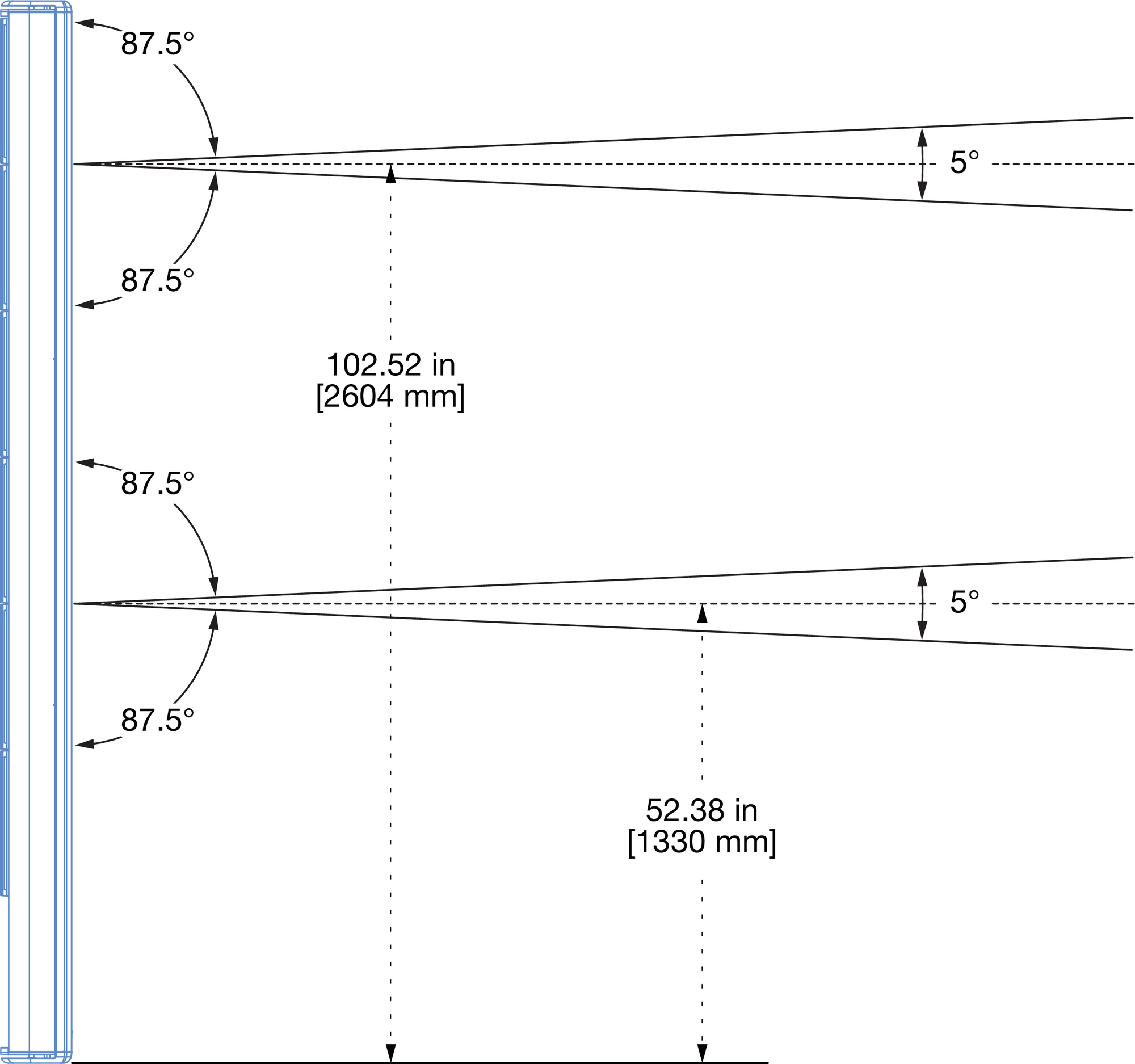 |
CAL 96 Top Beam Split with 5° Beam Spread
Note
When using the CAL 96 top split beam configuration, the bottom beam utilizes more driver channels and therefore yields greater SPL than the top beam.
CAL 96 Bottom Split Beams
The CAL 96 model also includes a bottom split beam coverage with the top beam emanating from the top 64 drivers and the bottom beam emanating from the bottom 32 drivers. The figure below shows a CAL 96 with bottom split beams, each with 5° beam spread. Also illustrated are the beams’ acoustical center points.
|
CAL 96 Bottom Beam Split with 5° Beam Spread
Note
When using the CAL 96 bottom split beam configuration, the top beam utilizes more driver channels and therefore yields greater SPL than the bottom beam.
Compass Control Software
Compass Control Software provides comprehensive control of CAL through a graphical user interface. The software enables easy access to all CAL features and supports control of multiple units. Compass runs on a Mac or Windows-based computer.
Compass enables the user to:
Set the active input and override input
Configure vertical beam spread, vertical beam angle, and beam split
Assign processing to beams, including gain, delay, and parametric EQ
Edit, store, recall, and organize CAL presets
Test fault contact
Monitor loudspeaker system status and performance data from the RMS tab
Compass includes full copy and paste of all settings, groups of settings, and multiple levels of undo. The tabbed interface is scalable to any display resolution and the colors are configurable for day or night. Compass has the same user interface, whether running on a Mac or Windows-based computer, so switching between platforms is completely transparent.
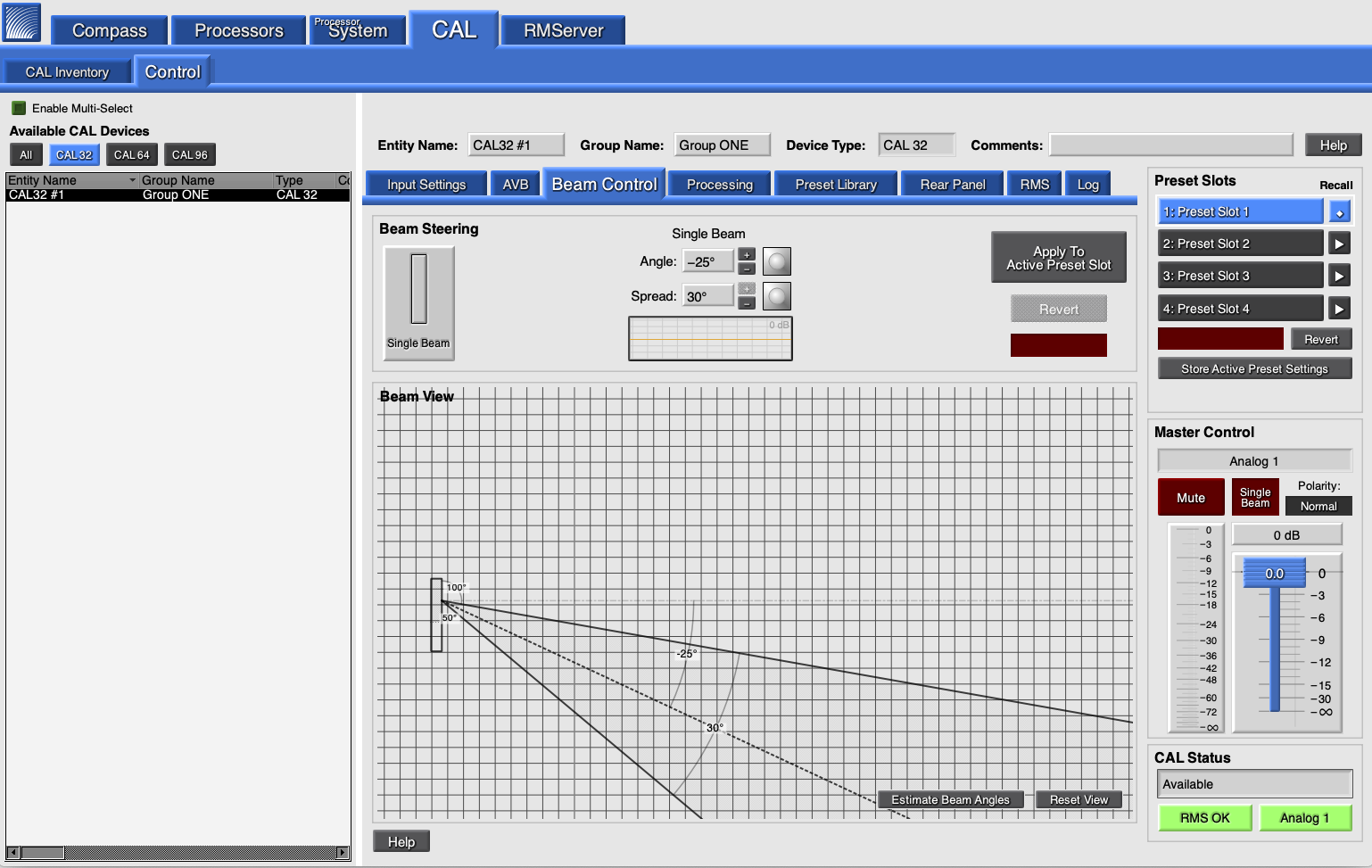
Compass Control Software, Beam Control Tab
The Beam Control tab displays CAL’s vertical beam spread and vertical beam angle, both of which can be altered by entering angle values or by dragging in the beam view area. Beam splits can also be configured on the Beam Control tab (CAL 64 and CAL 96 only).
The RMS tab reports extensive system status and performance data for each CAL loudspeaker on the network, including amplifier voltage, limiting activity, power output, driver status, and temperature.
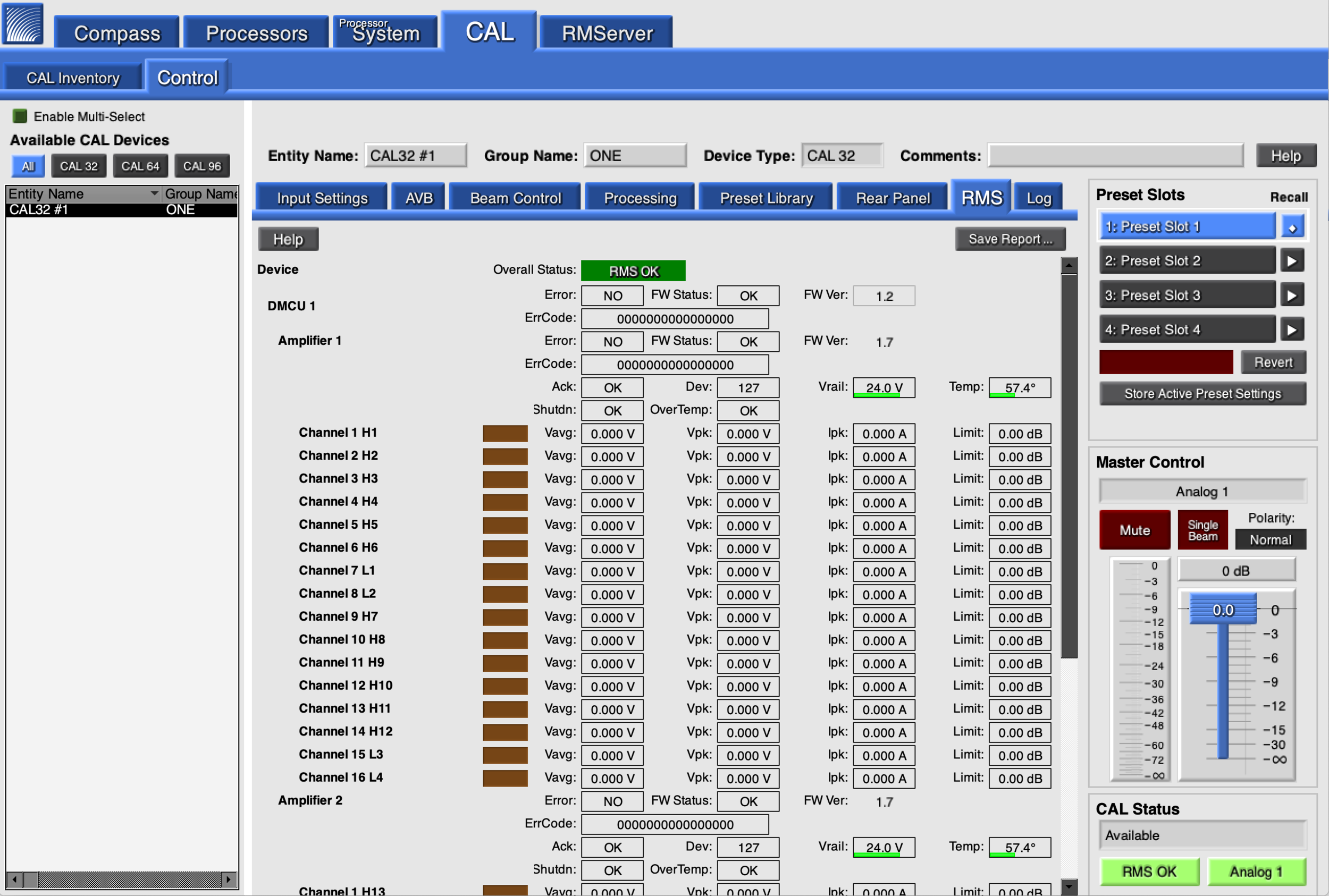
Compass Control Software, RMS Overview Tab
Tip
For more information, refer to the Compass support videos: meyersound.com/product/compass/#support-videos.
Managing AVB and CAL with Compass
Compass may be used to manage CAL when AVB inputs are used.
CAL can receive AVB audio streams (AAF) and clock streams (CRF). CAL can transmit CRF streams to other devices, but cannot transmit AVB/AAF audio streams to other devices.
Configuring CAL Network Settings
When Compass is connected to a CAL, select the CAL>Control>AVB tab to manage the AVB inputs and make Clock Mode selections.
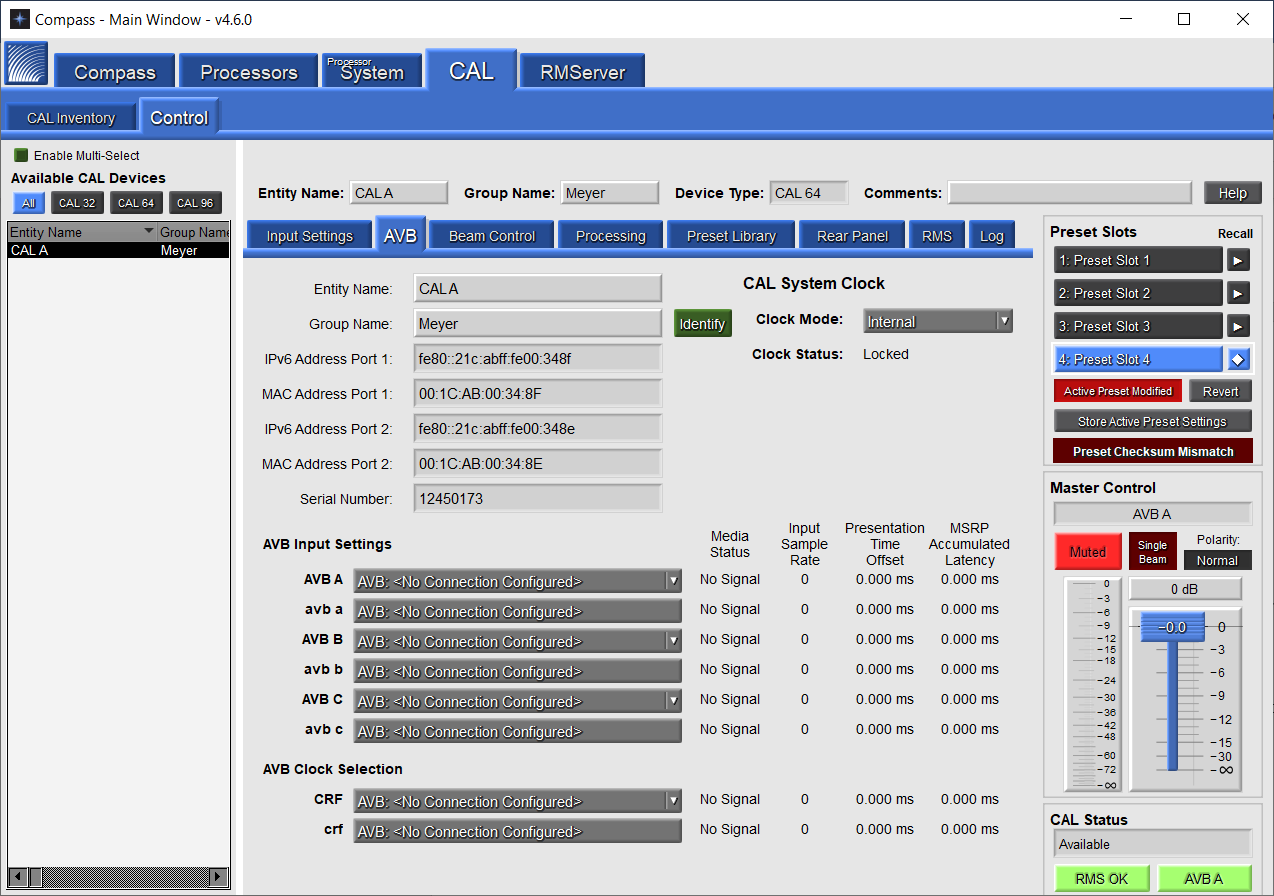
Compass CAL Control>AVB Tab
The AVB tab allows the CAL Entity and Group Names to be changed and displays the IPv6 and MAC Addresses, as well as the device’s Serial Number.
AVB Clock Selection and System Clock
As with other CAL input signal types, when the connection is made, it must be selected as the Active Input in the Input Settings tab for the signal to be reproduced.
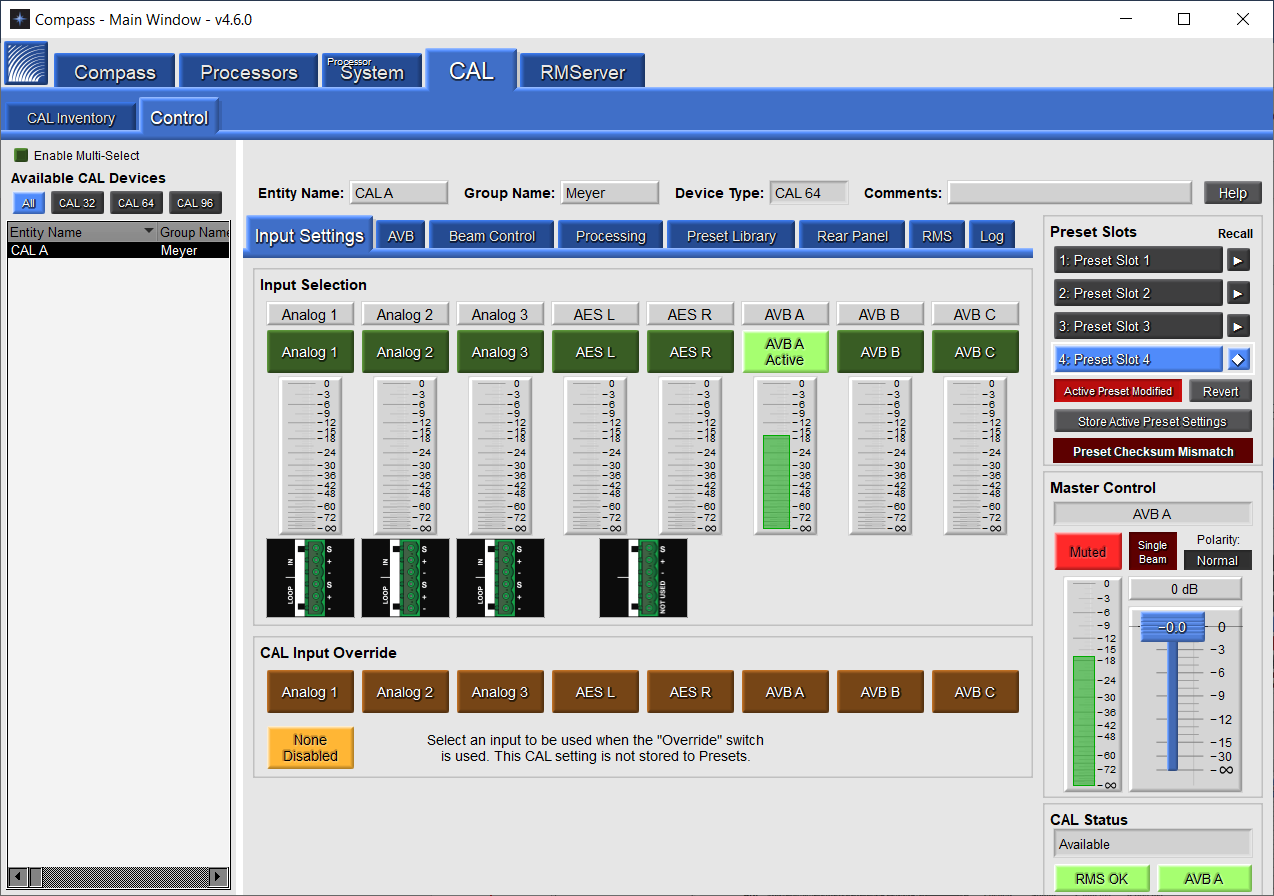
CAL Control and Input Settings Tab in Compass
The Clock Mode also must be set, typically to the appropriate CRF stream. After the Clock Mode has been selected, ensure the Clock Status is updated to “Locked.”
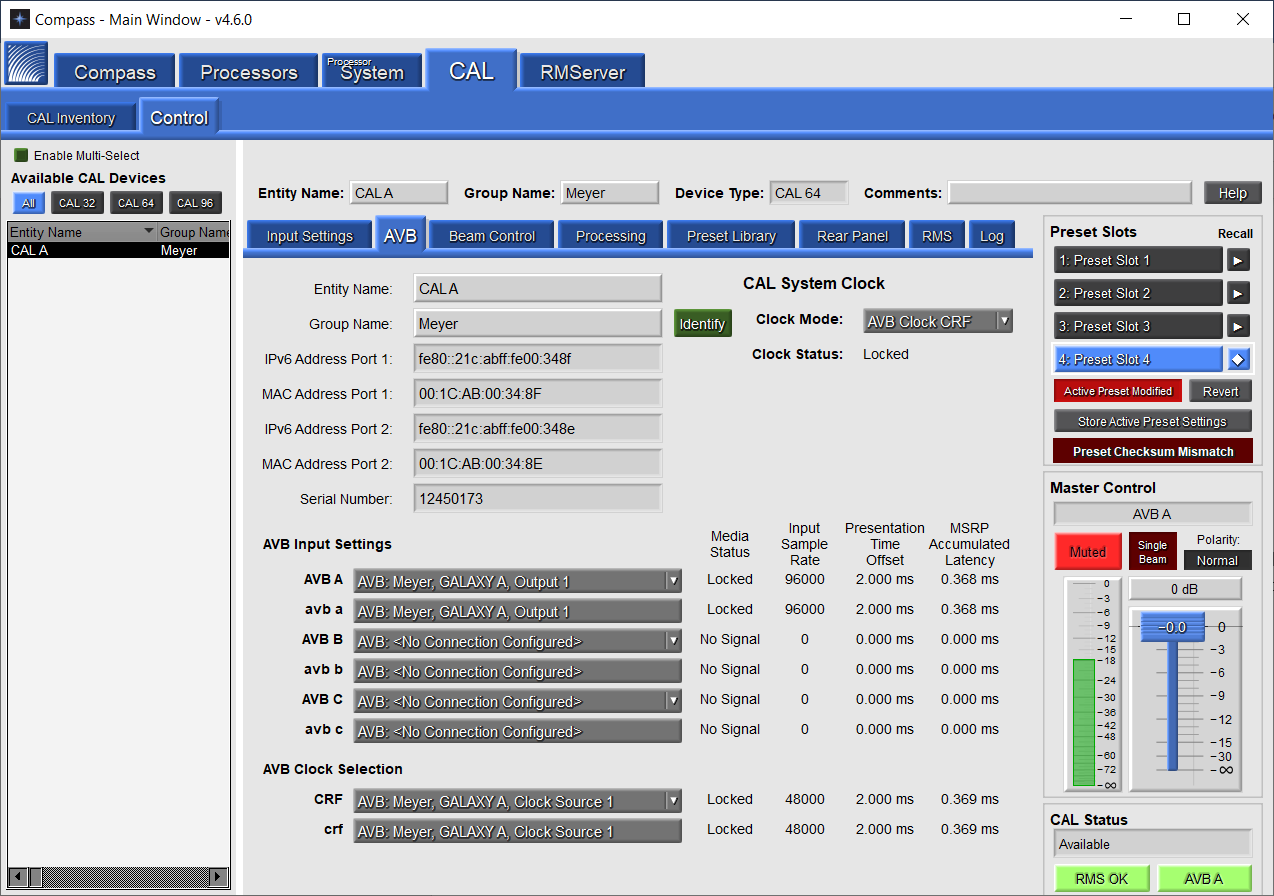
CAL Control and AVB Tab Showing Clock Status as Locked
AVB Input Selection
AVB Input Settings: each CAL has three audio sinks to receive AVB/AAF input signals and one clock sink to receive a CRF clock signal.
Media Clock Selection
For each AVB input, any available AVB stream from a Talker on the network can be selected as the clock stream. Media Clocks should never be cascaded. The same Media Clock should almost always be used for every device on the network.
Secondary Network Connections
There is no option to select to connect a Secondary network. If the CAL is connected to two networks, it will connect to the Secondary by default.
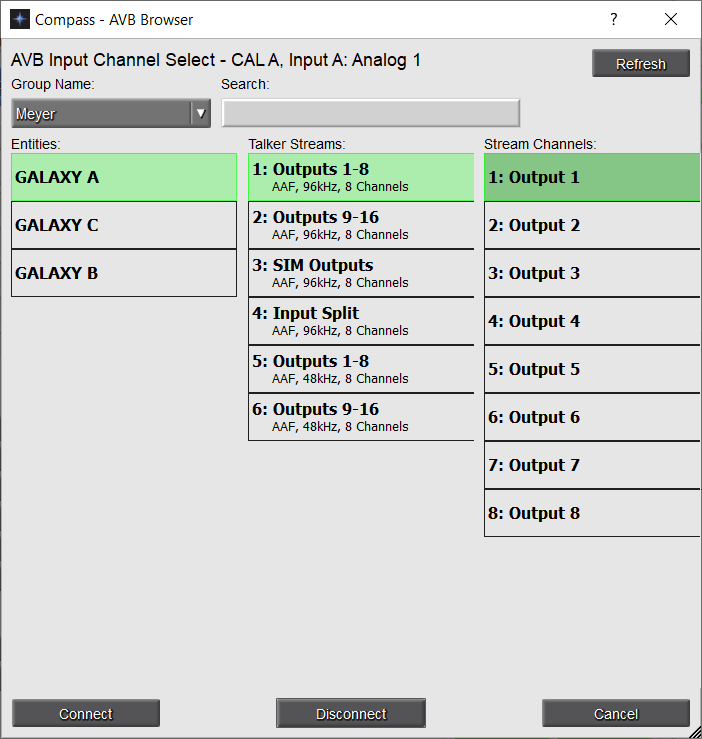 |
AVB Channel Select Pop-Up
When the AVB stream connection is established, it is displayed next to the input channel label.
Mounting CAL Loudspeakers
CAL comes standard with adjustable brackets that allow it to be mounted on walls or columns.
Note
Before mounting CAL, make sure to allow for the necessary cable runs to its audio sources, power source, host computer, and any control devices or switches you intend to use.
Important Safety Considerations
When installing Meyer Sound loudspeakers, the following precautions should always be observed:
All Meyer Sound products must be used in accordance with local, state, federal, and industry regulations. It is the owner’s and user’s responsibility to evaluate the reliability- ability of any rigging or mounting method for their application- cation. Rigging should only be carried out by experienced professionals.
Use mounting and rigging hardware that has been rated to meet or exceed the weight being hung.
Make sure to attach mounting hardware to the building's structural components (studs or joists), and not just to the wall surface. Verify that the building's structure and the anchors used for the installation will safely support the total weight of the mounted loudspeakers.
Use mounting hardware appropriate for the material where the loudspeaker will be installed.
Make sure bolts are tightened securely. Meyer Sound recommends using Loctite® on bolt threads.
Inspect mounting and rigging hardware regularly. Immediately replace any worn or damaged components.
CAL Wall Mount Brackets
CAL comes standard with wall mount brackets that include the following components.
Item | Part Number | Fasteners Included? | ||
|---|---|---|---|---|
Wall Mount Plate (Top) |
| 64.210.018.01 (Black) 64.210.018.02 (White) | No (Use fasteners appropriate for wall material) | |
Wall Mount Plate (Bottom) |
| 64.210.031.01 (Black) 64.210.031.02 (White) | No (Use fasteners appropriate for wall material) | |
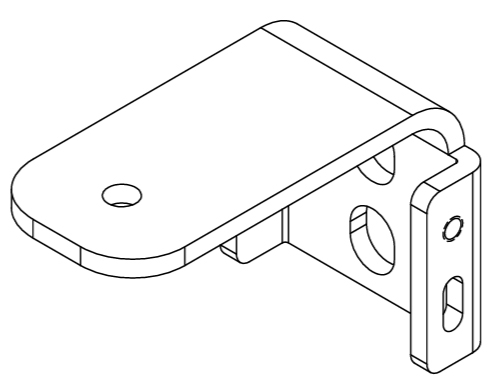
Loudspeaker Bracket (Top) |
| 64.210.015.01 (Black) 64.210.015.02 (White) | Required Parts: 119.060, 119.059, 113.043, 116.028, 109.051, 101.349 X 2 (for ONE end) 101.522 X 2 (for ONE end), 115.025 X 2 (for ONE end) | |
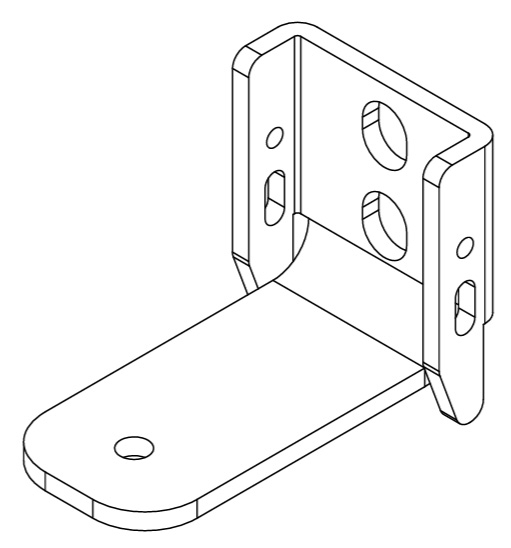
Loudspeaker Bracket (Bottom) |
| 64.210.032.01 (Black) 64.210.032.02 (White) | Required Parts: 119.060, 119.059, 113.043, 116.028, 109.051, 101.349 X 2 (for ONE end) 113.522 X 2 (for ONE end), 115.025 X 2 (for ONE end) | |
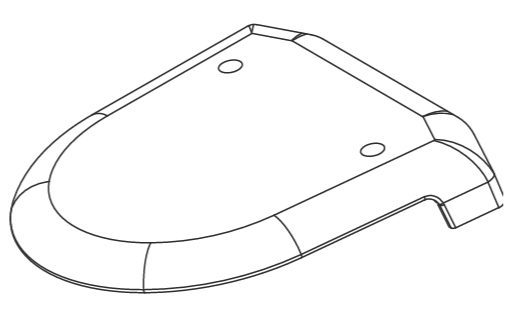
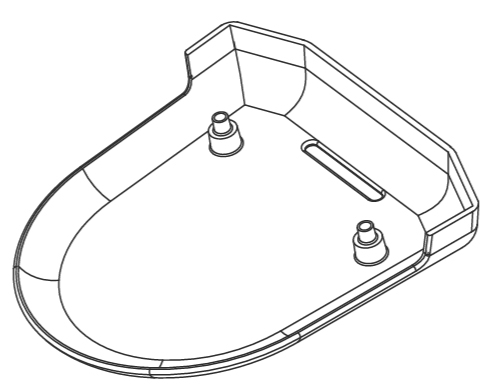
End cap (Top) |
| 60.210.012.01 (Black) 60.210.012.02 (White) | Required Parts: 101.562 X 2 (for ONE end), 119.061 X 2 (for ONE end) | |
End cap (Bottom) |
| 60.210.013.01 (Black) 60.210.013.02 (White) | Required Parts: 101.562 X 2 (for ONE end), 119.061 X 2 (for ONE end) | |
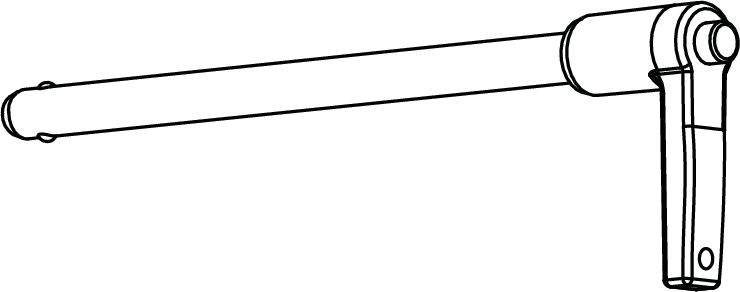
5/16x5” Quickrelease pins (2) |
| 134.046 | — |
Wall Mounting CAL Loudspeakers
CAL loudspeakers come with their loudspeaker brackets. After installing the wall mount plates, attach the brackets to the loudspeaker, install CAL onto the wall, rotate the loudspeaker to adjust its horizontal coverage, tighten the top and bottom nuts, and attach the end caps.
Mount the top and bottom wall mount plates on the wall:
Mark two holes on the wall for each wall mount plate using their center mounting holes as a guide.
If you are mounting CAL on a wall with wood studs, locate the wall stud.
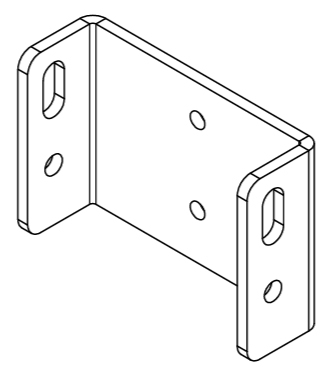
Top wall mount plate
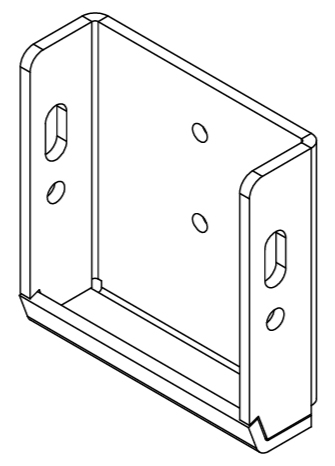
Bottom wall mount plate
Note
Orient the wall mount plates with the side slots up.
Use a level and straight edge to make sure the top and bottom wall mount plates are vertically aligned.
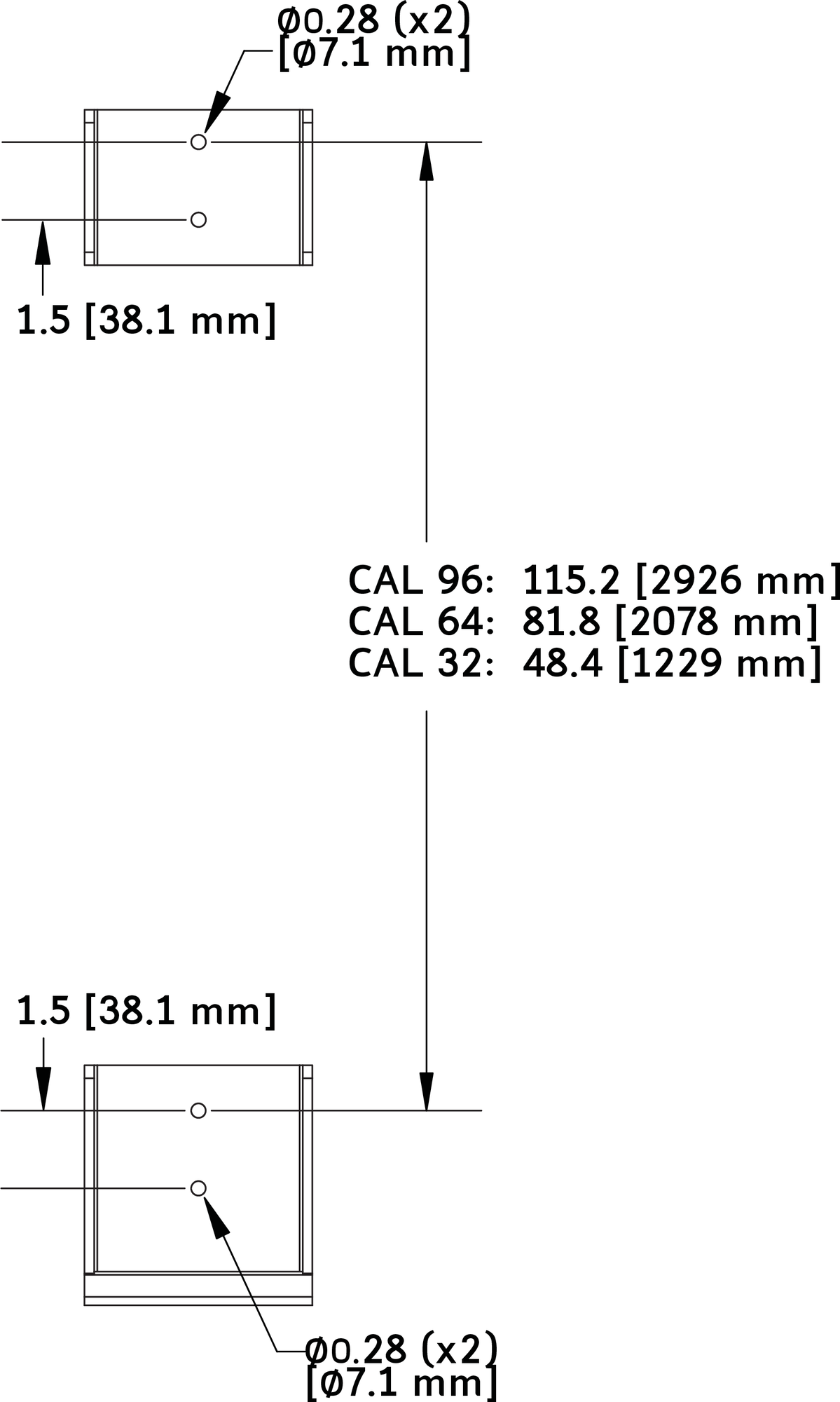
Drill pilot holes at the four marked locations. Make sure not to over-drill the pilot holes. The depth and diameter of the pilot holes should be around 50percent of the length and diameter of the fasteners.
Note
The center mounting holes for the wall mount plates are 0.28inches (7.1mm) in diameter.
If mounting CAL on a concrete or metal wall, install wall anchors (not included) in the pilot holes. Install the wall anchors so they are flush with the wall surface.
Secure the wall mount plates to the wall with fasteners (not included) appropriate for the wall material and rated to hold the weight of the loudspeaker.
CAL96 weight: 173lbs (78.5kg)
CAL64 weight: 124lbs (56.2kg)
CAL32 weight: 80lbs (36.3kg)
Note
Weights include top and bottom loudspeaker brackets, top and bottom end caps.
Place the loudspeaker face down on a soft flat surface.
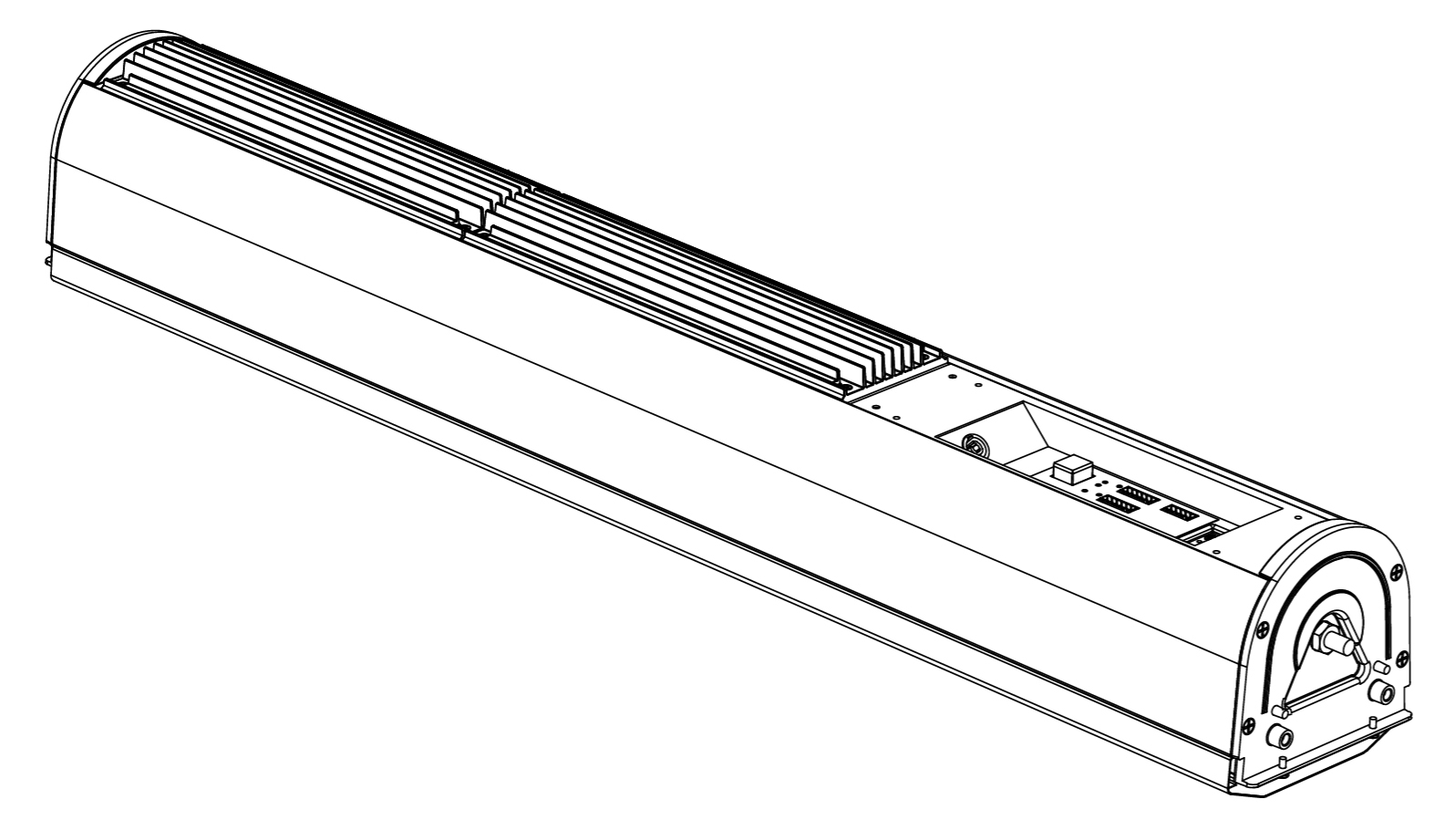
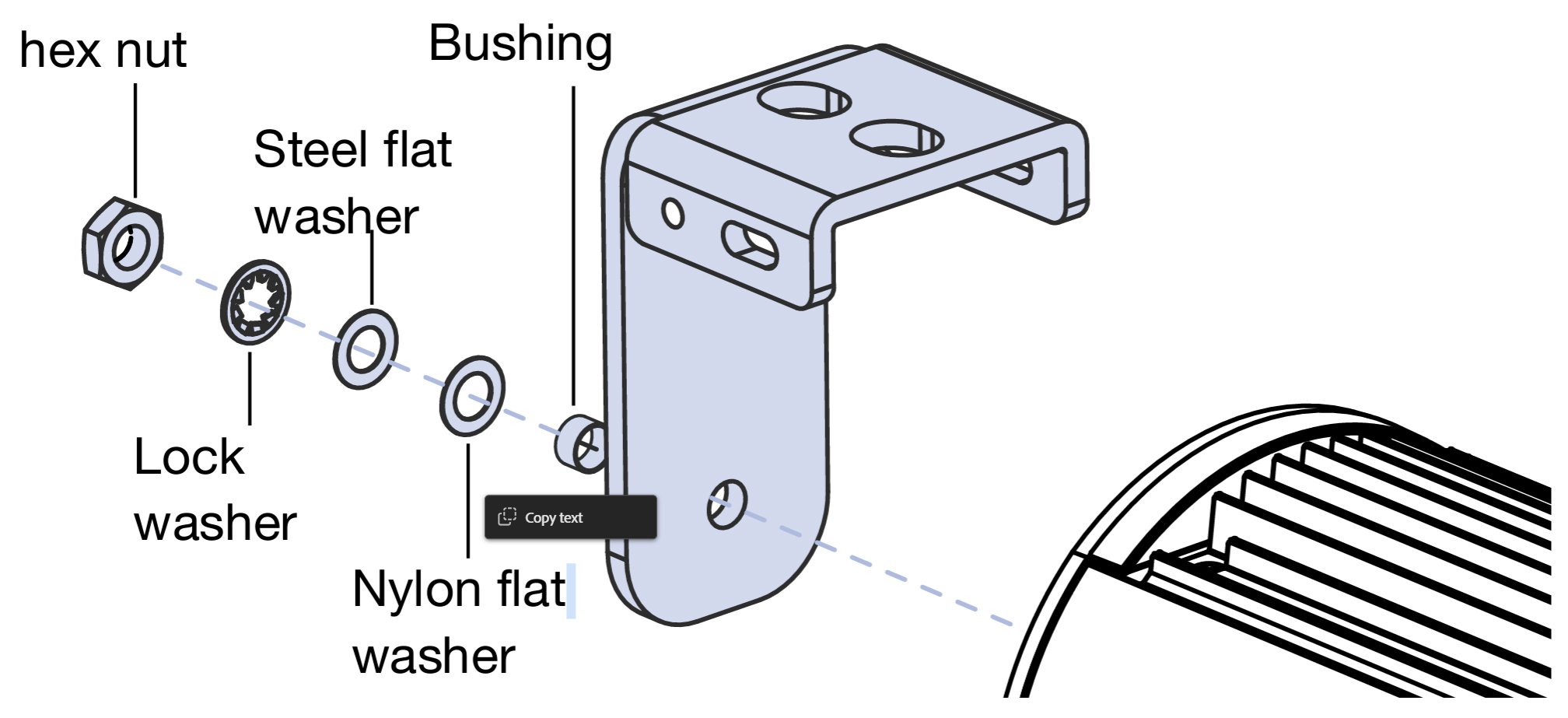
Attach the top loudspeaker bracket (the smaller one) to the top of the loudspeaker and secure it with the included hex nut, lock washer, steel flat washer, nylon flat washer, and spacer. Hand-tighten the hex nut.
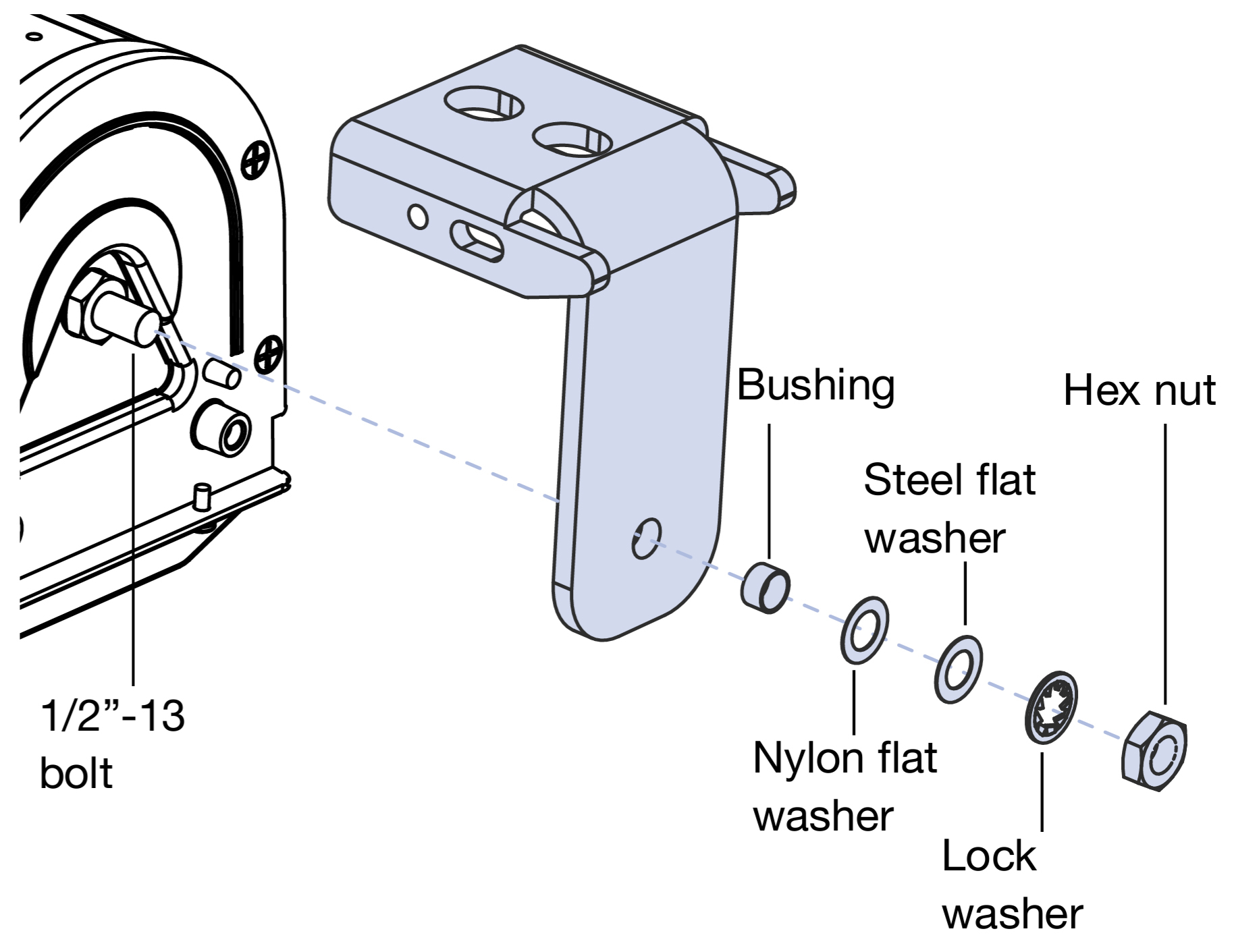
Attach the bottom loudspeaker bracket (the larger one) to the bottom of the loudspeaker and secure it with the included hex nut, lock washer, steel flat washer, nylon flat washer, and bushing. Hand-tighten the hex nut.
Mount CAL on the wall:
Insert the bottom of the loudspeaker into the bottom wall mount plate. The loudspeaker bracket should rest cleanly in the wall plate.
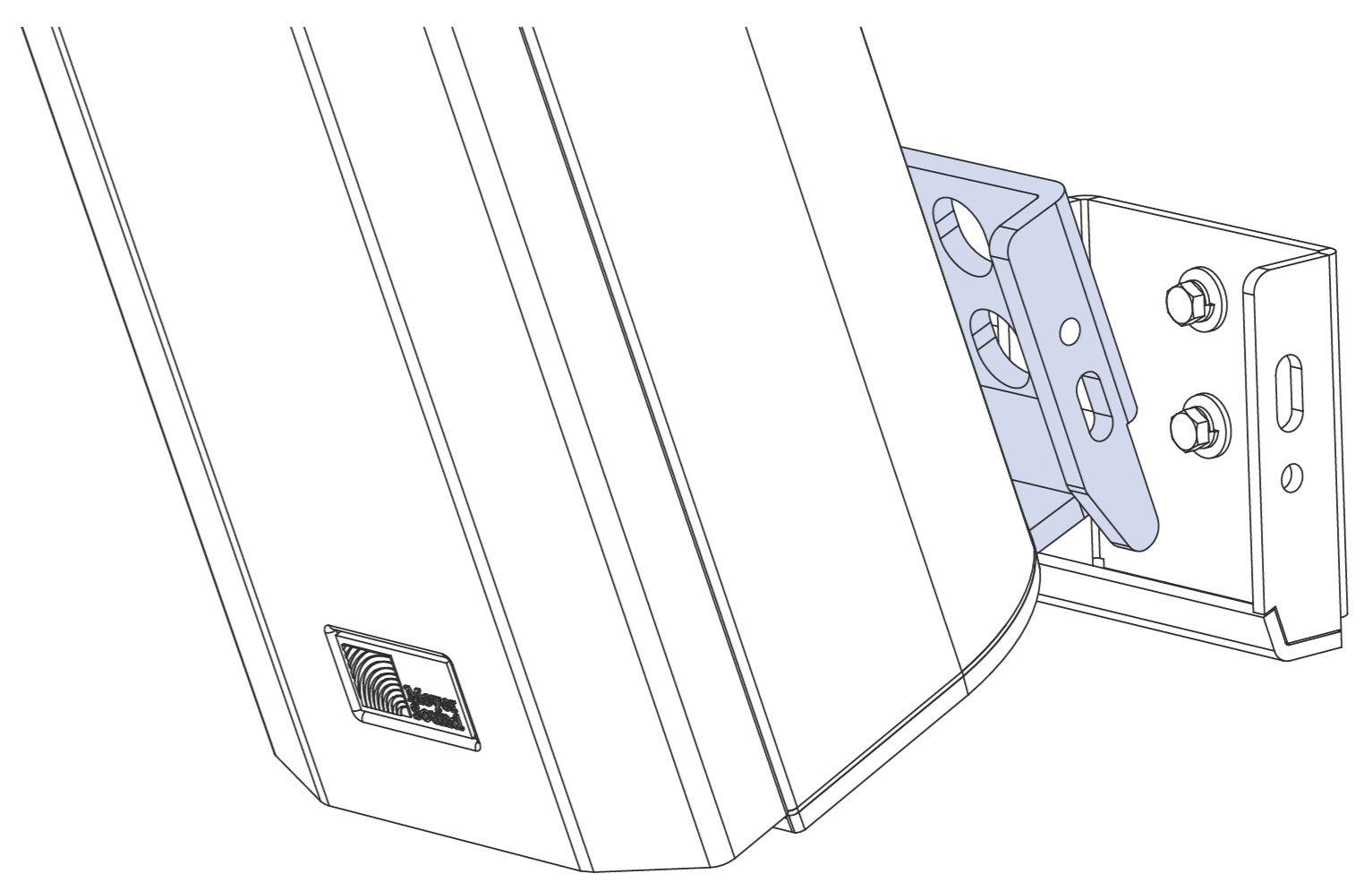
Tip
An eye nut (not included) can be temporarily attached to CAL’s 1/2-inch-13 top attachment bolt (instead of the loudspeaker plate) to lift up the unit when inserting the bottom of the loudspeaker into the bottom wall mount plate. The eye nut can then be removed and replaced with the top loudspeaker bracket.
While resting the bottom of the loudspeaker in the lower wall mount plate, slowly hinge the top of the loudspeaker toward the wall until it aligns with the top wall mount plate.
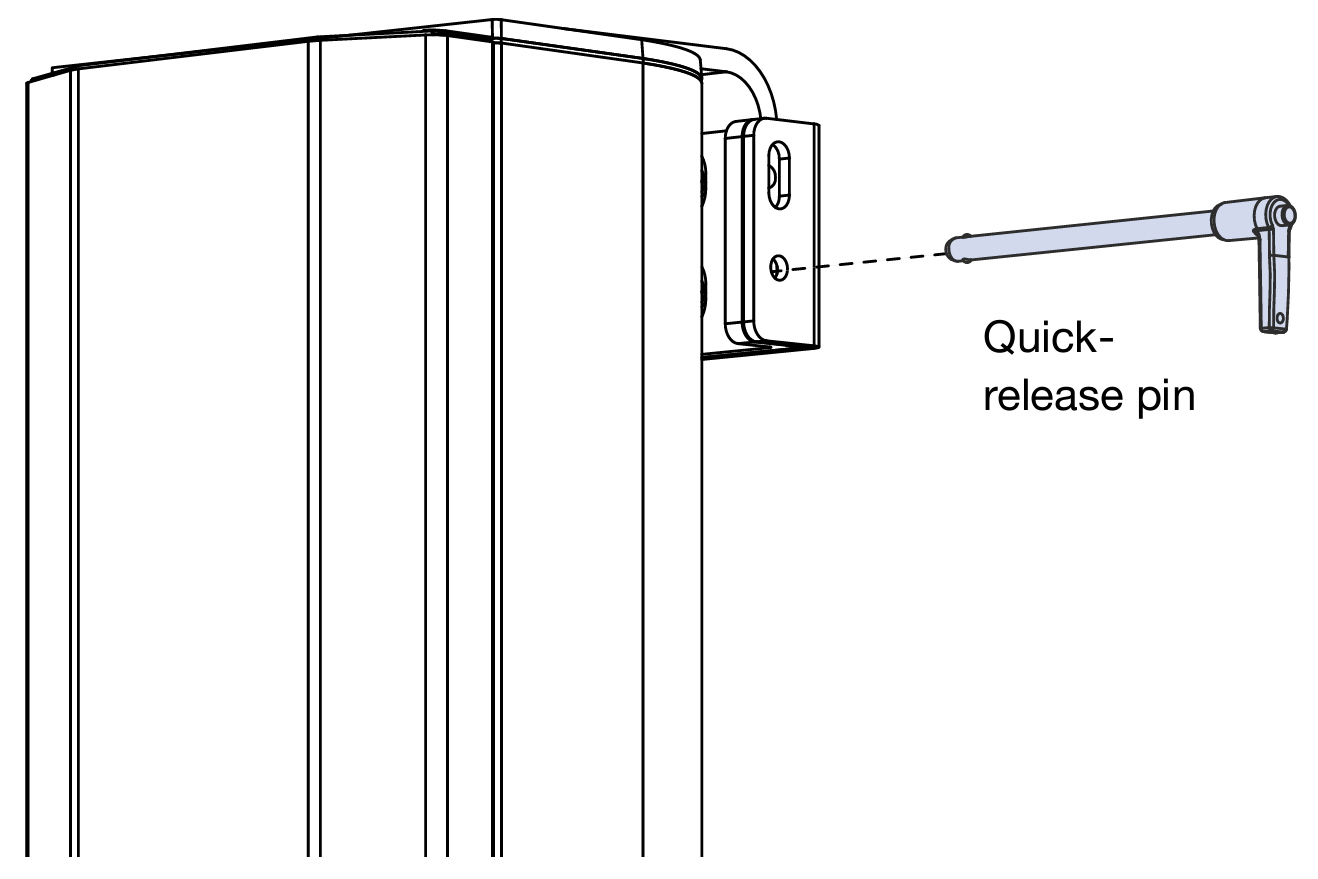
Insert the included quick-release pin into the round screw hole of the top loudspeaker bracket (either side). The quick-release pin holds the loudspeaker in place. Ensure the quick-release pin is completely inserted and cannot be removed without depressing the release button.
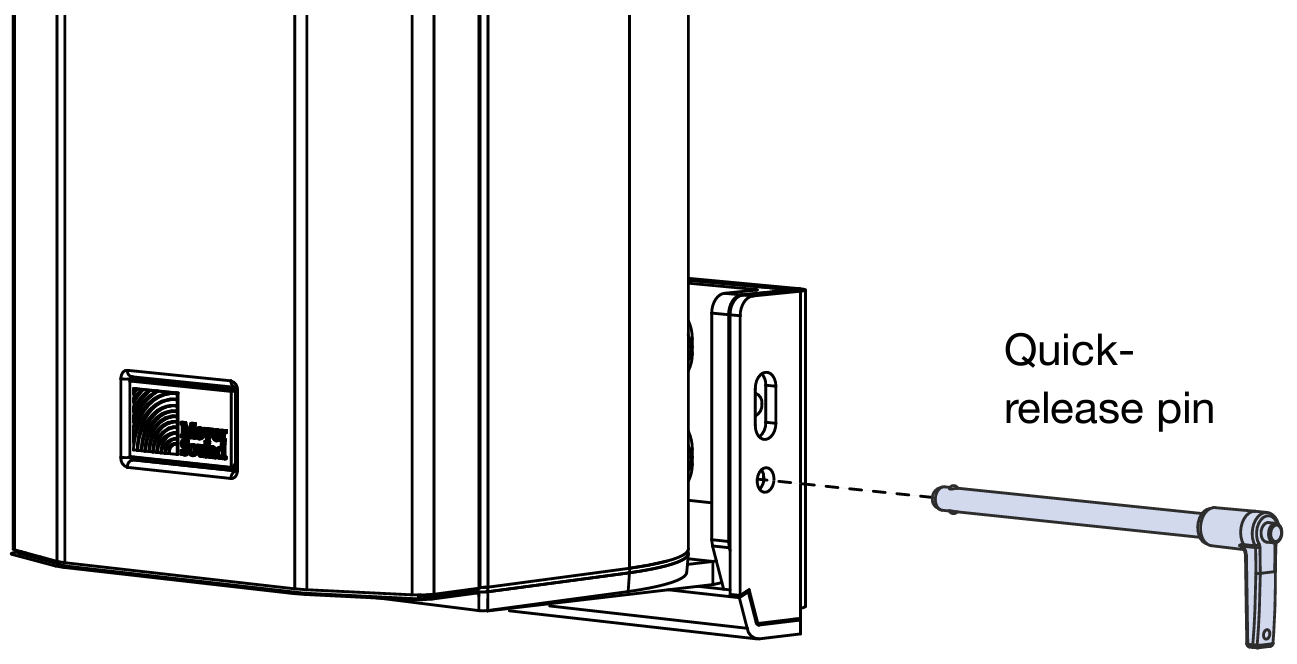
Insert the included quick-release pin into the round screw hole of the bottom loudspeaker bracket (either side). The quick-release pin holds the loudspeaker in place. Ensure the quick-release pin is completely inserted and cannot be removed without depressing the release button.
• Secure the top of the loudspeaker with the included 3/8-inch-16 hex screws, lock washers, and flat washers (both sides).
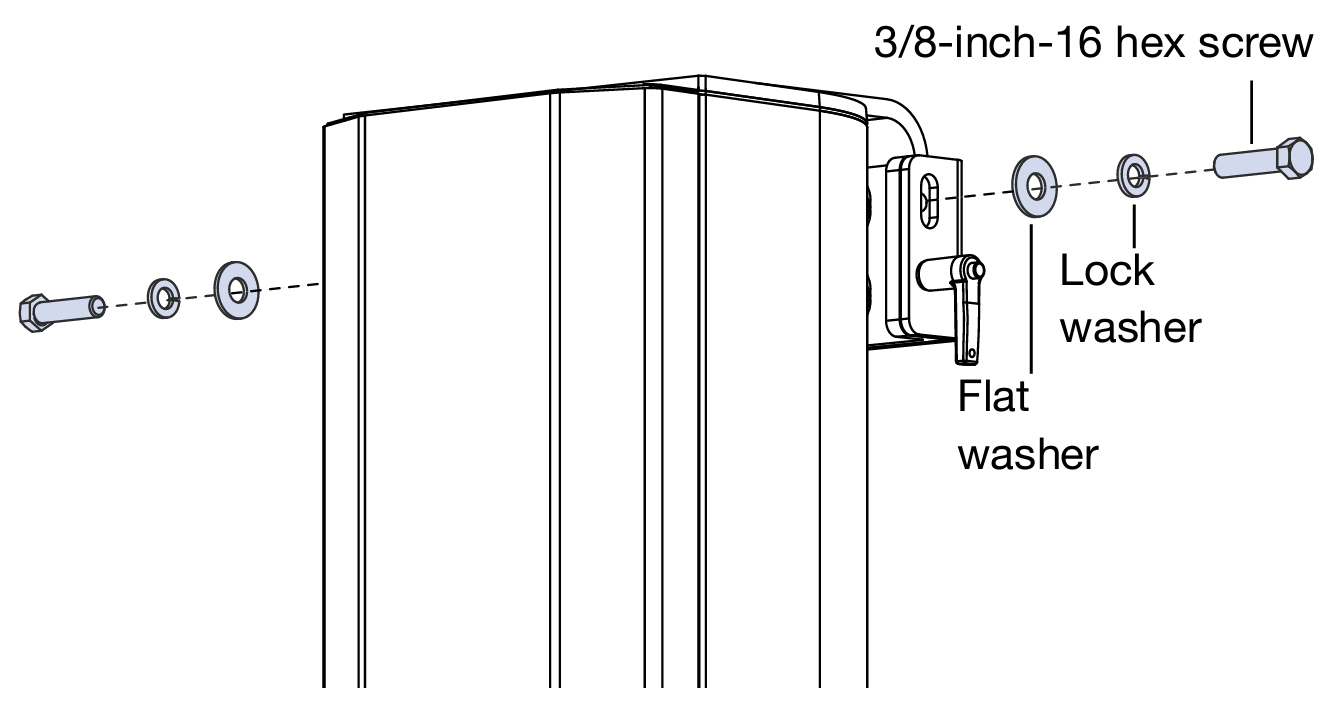
Secure the bottom of the loudspeaker with the included 3/8"-16 hex screws, lock washers, and flat washers (both sides).
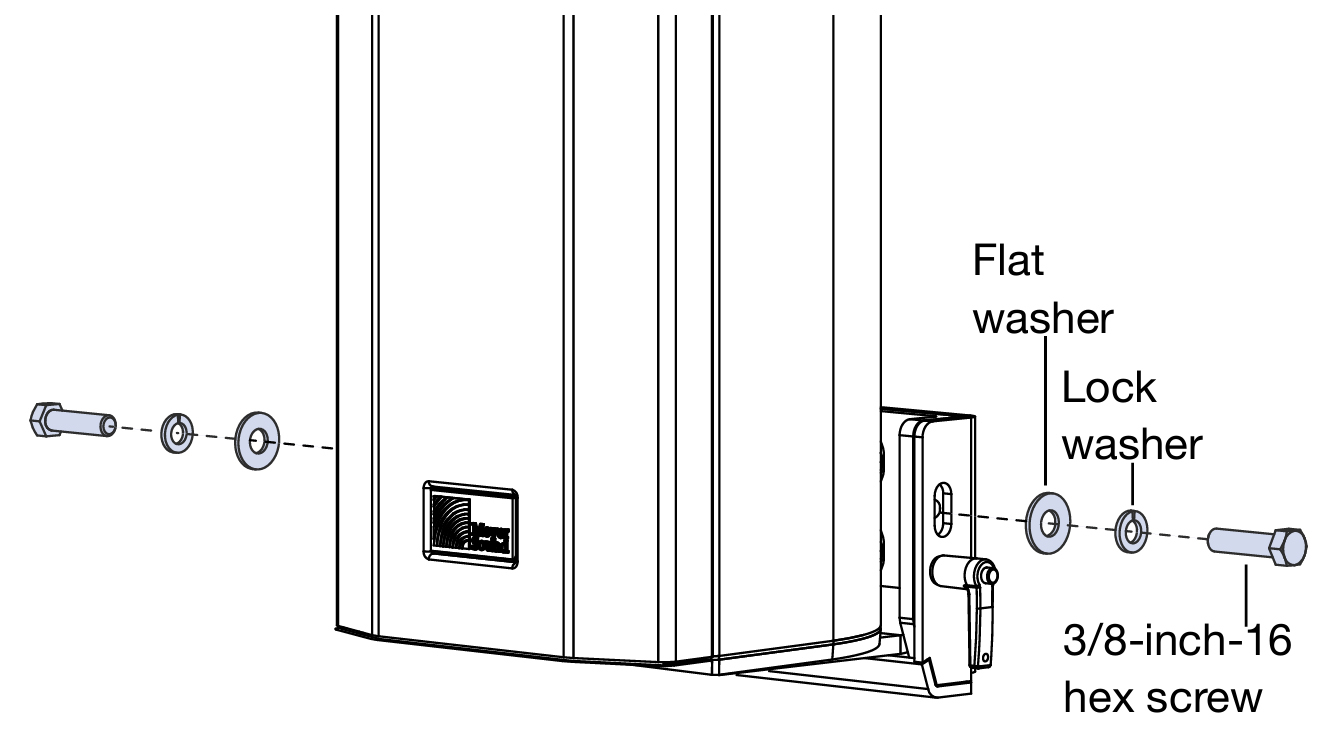
Rotate CAL left or right to position its horizontal dispersion for the desired coverage.
Fully tighten the hex nuts securing the top and bottom loudspeaker brackets. Meyer Sound recommends applying Loctite and using a torque value of 30 in-lb (40.5N·m). Attach the end caps to CAL:
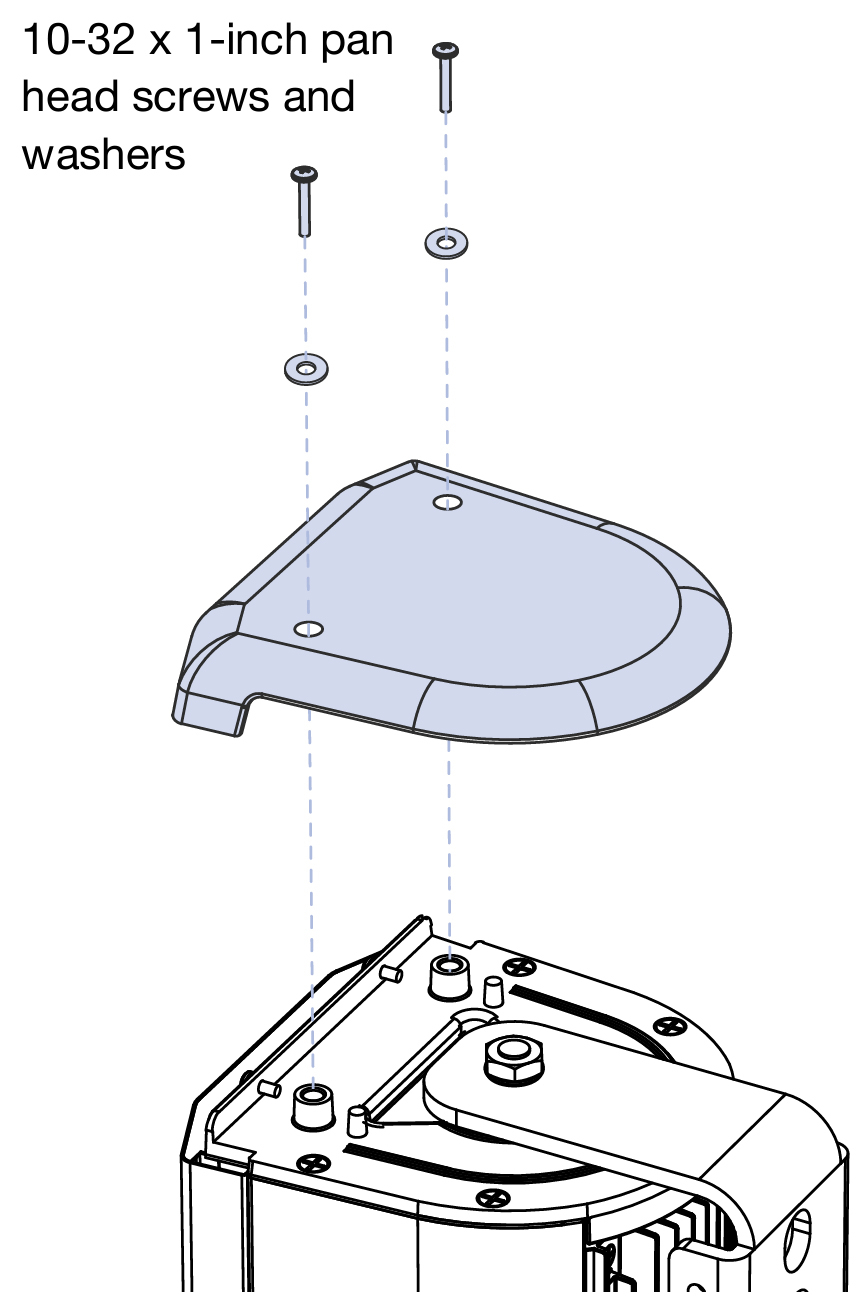
Align the top end cap (the one without the drainage slot) with the top screw holes and secure the end cap with the included 10-32 x 1-inch pan head screws and washers.
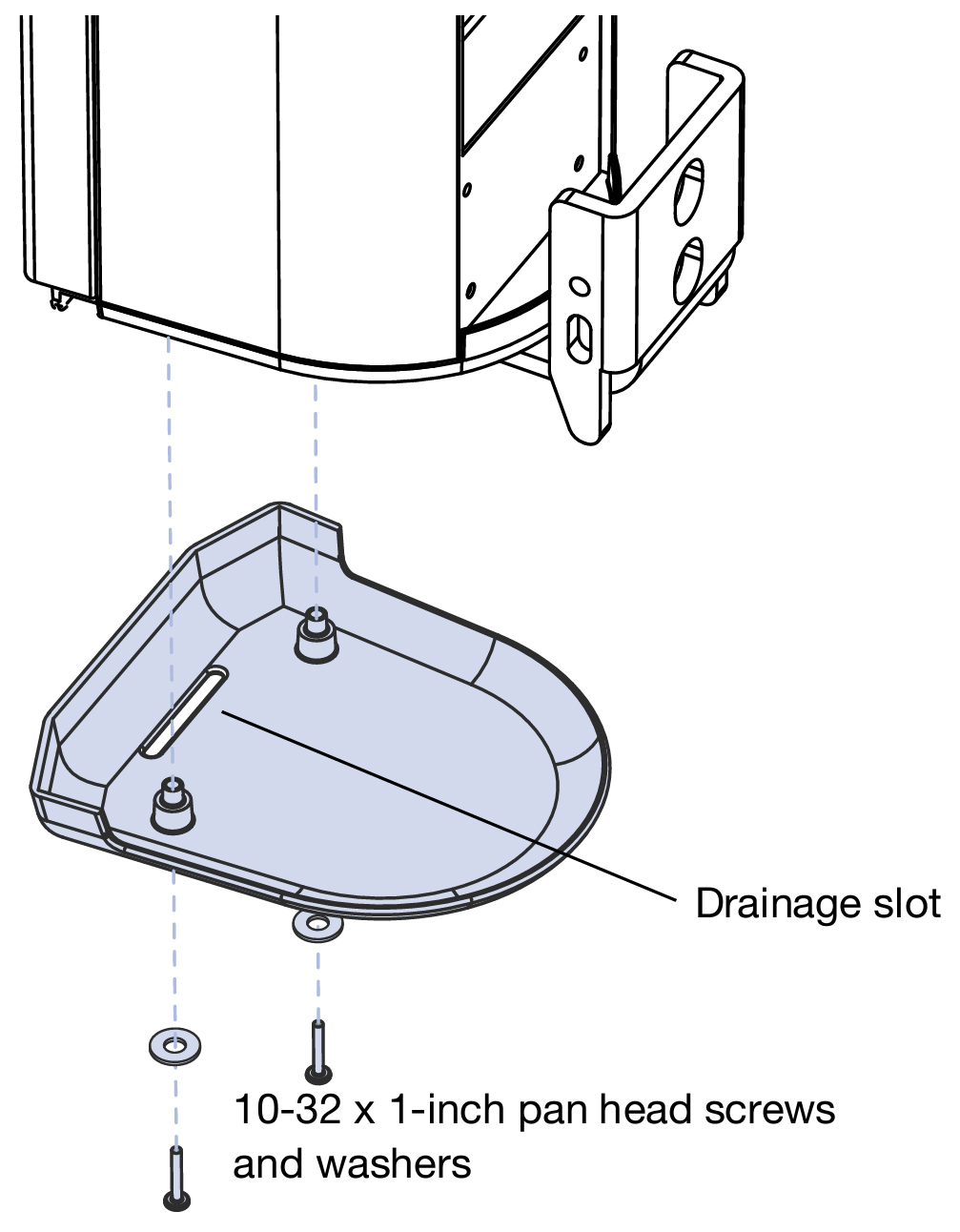
Align the bottom end cap (the one with the drainage slot) with the bottom screw holes and secure the end cap with the included 10-32 x1-inch pan head screws and washers.

Single Point Hang Rigging Kit
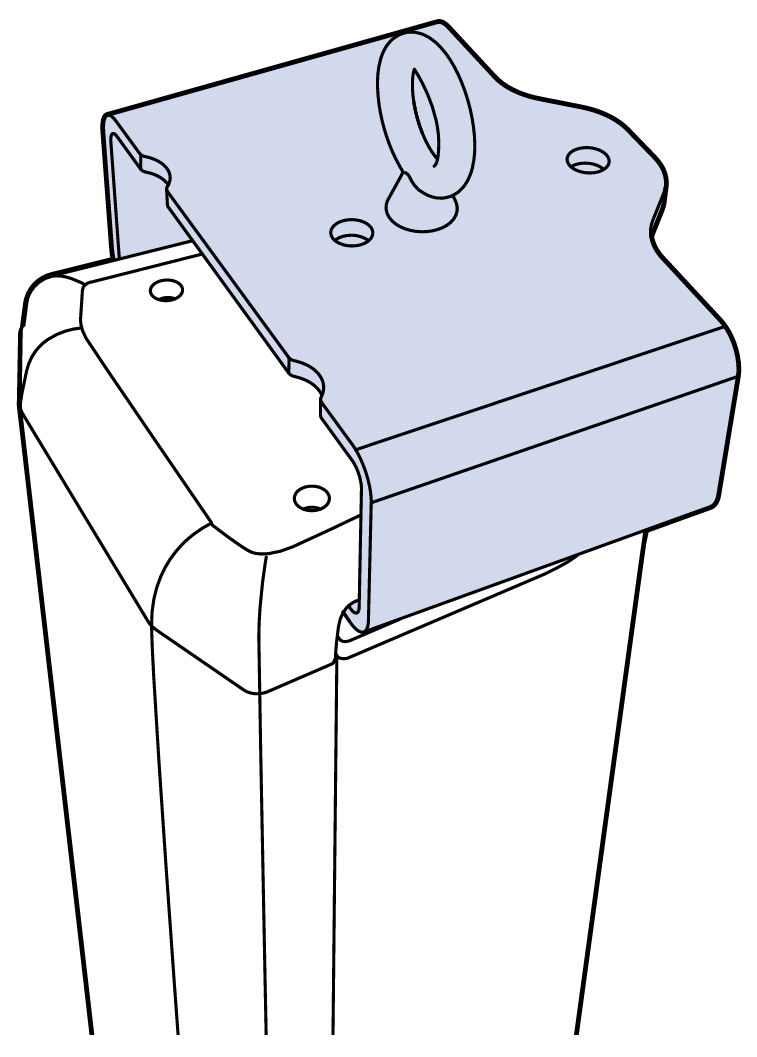
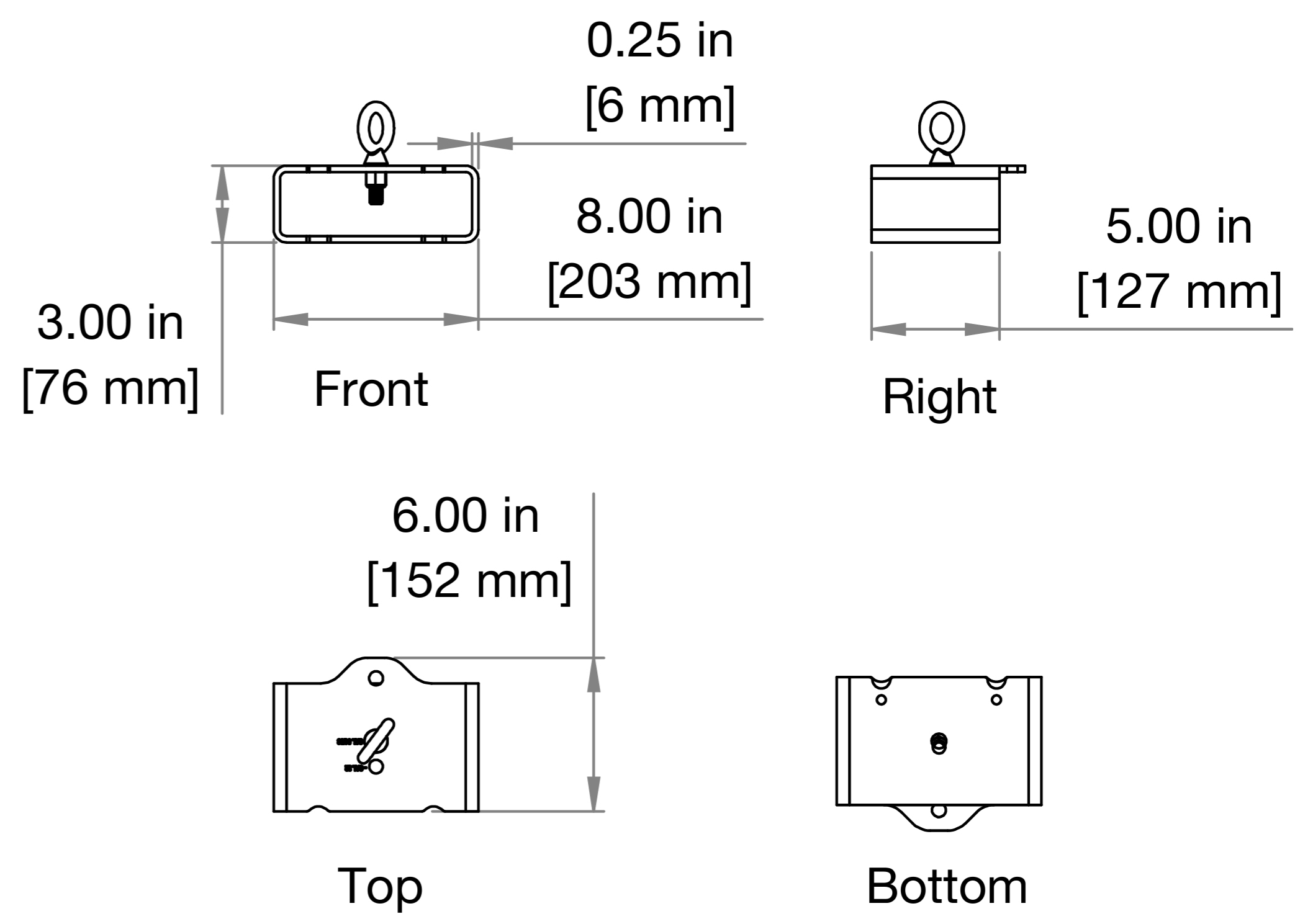
Meyer Sound offers an optional single point hang rigging kit (PN 40.210.230.01) for applications where hanging a CAL loudspeaker is desirable.
 |
 |
|
Installation of Single Point Hang Kit
Please verify presence of all kit components (Table 4) before beginning the install procedure.
Part Number | Description | Quantity |
|---|---|---|
67.210.094.01 | 1-inch diameter Neoprene Gasket, 3/16-inch thick for attaching single point hang (SPH) bracket to CAL | 1 |
45.210.230.01 | Single Point Hang Rigging Assembly | 1 |
109.051 | Thin Hex Nut, 1/2-inch-13, stainless steel for attaching SPH bracket to CAL | 1 |
113.043 | Washer, 0.88-inch outside diameter, 0.02-inch thick, stainless steel | 2 (1 for eye bolt, 1 for attaching SPH bracket to CAL |
119.061 | Washer, sealing, #10, stainless steel for attaching SPH bracket to CAL | 1 |
119.060 | Teflon Bushing, 0.50-inch x 0.56-inch to cover stud on CAL | 1 |
124.144 | Eye bolt, Shoulder, 1/2-inch-13 x 1.5-inch, 2400 WLL | 1 |
109.053 | Hex Nut, 1/2-inch-13 X 7/8-inch wide, 31/64 inches high, stainless steel for attaching eye bolt | 1 |
124.145 | Shackle, Screw, 3/8-inch, 2000 WLL | 1 |
640.096 | Thread locker, Medium Strength, Removable, for eye bolt and SPH bracket/ bolt | 1 |
Installation Steps
Remove both screws and sealing washers from the dress cap and set aside.
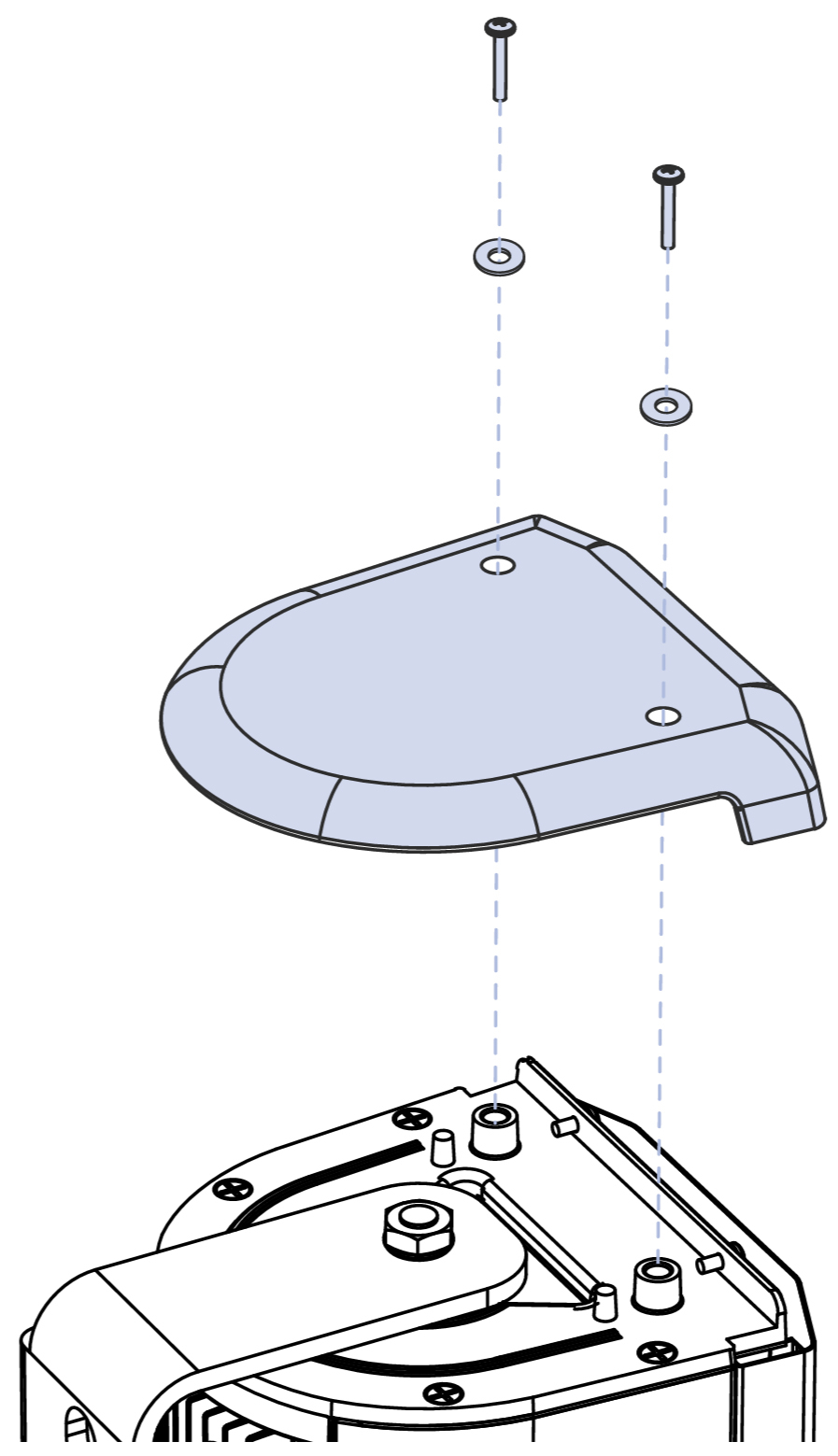
Remove the hex nut, washers, and bushing securing the wall bracket to the loudspeaker. Remove the bracket.
Slide the single point bracket onto the exposed threaded stud.
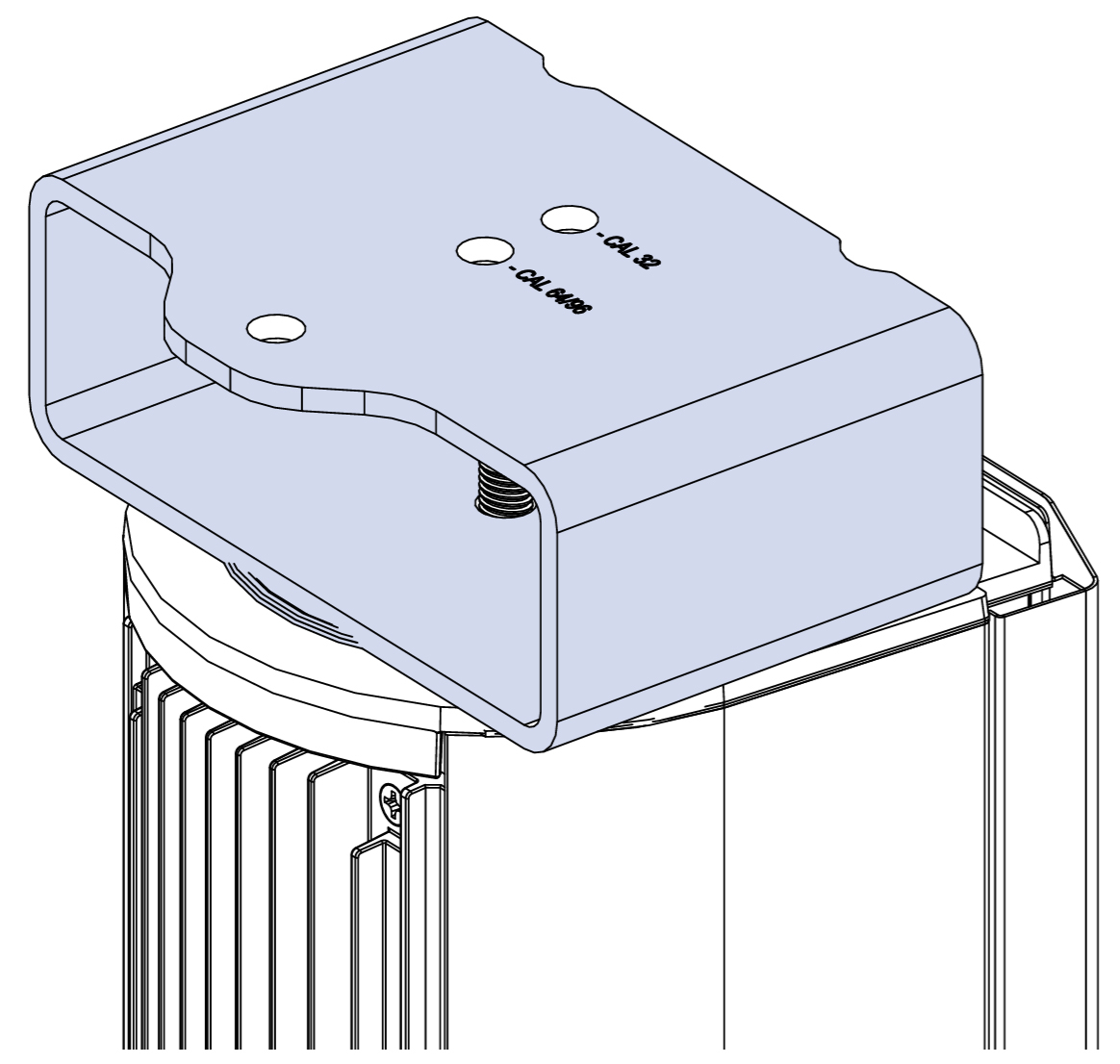
Align the front with the two protrusions.
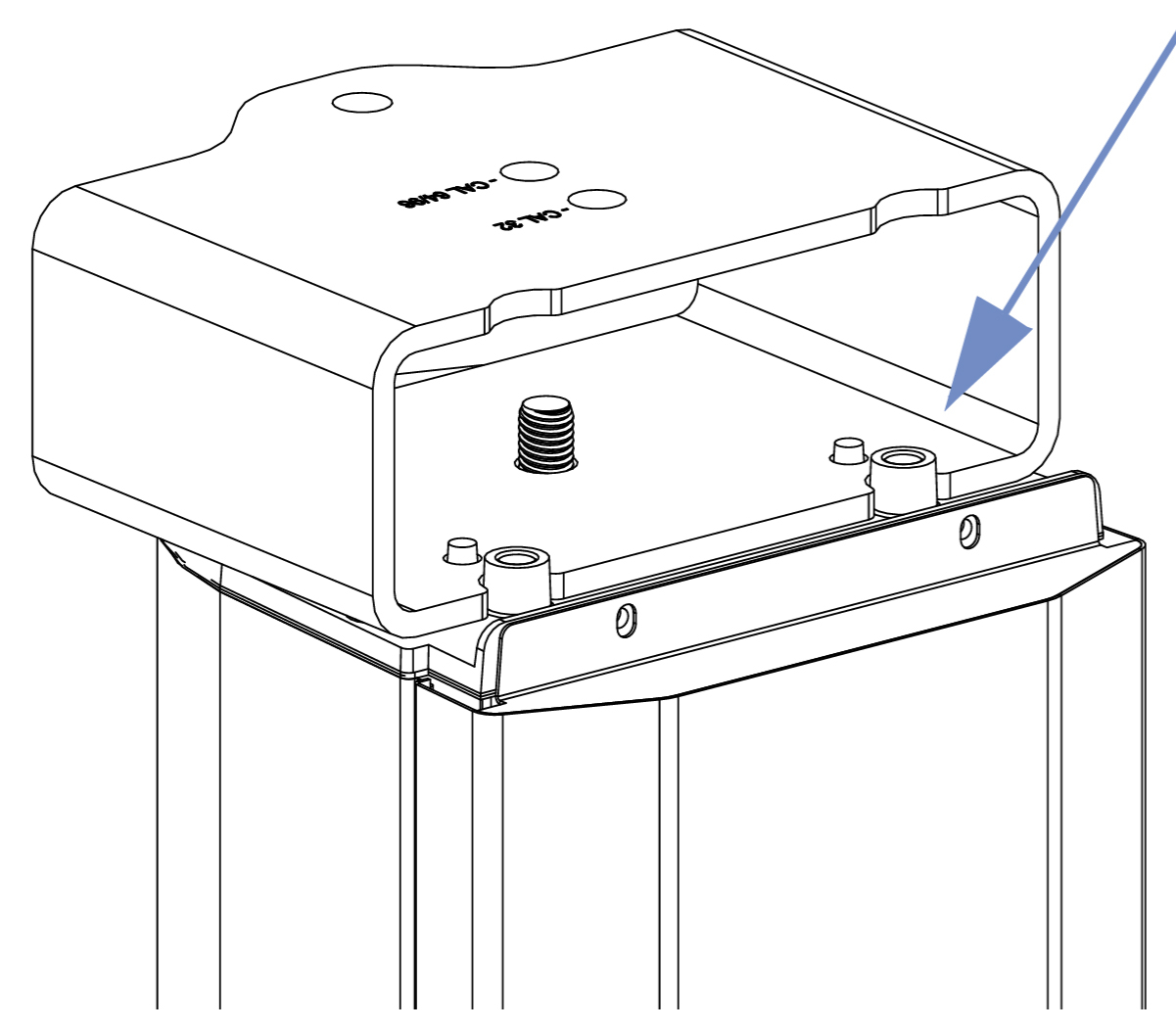
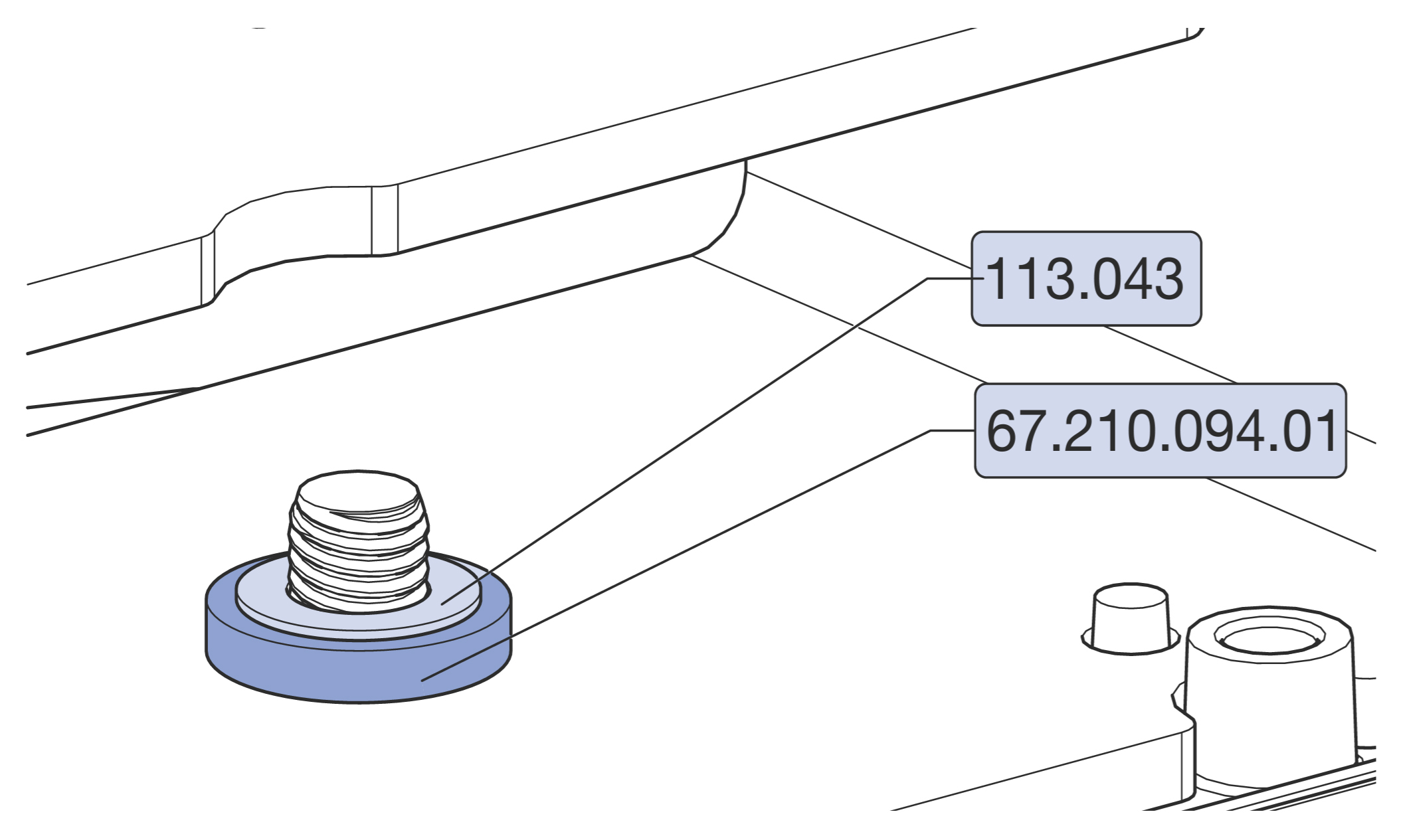
Slide over the exposed threads in the order indicated:
rubber gasket (PN 67.210.094.01),
metal washer (PN 113.043).
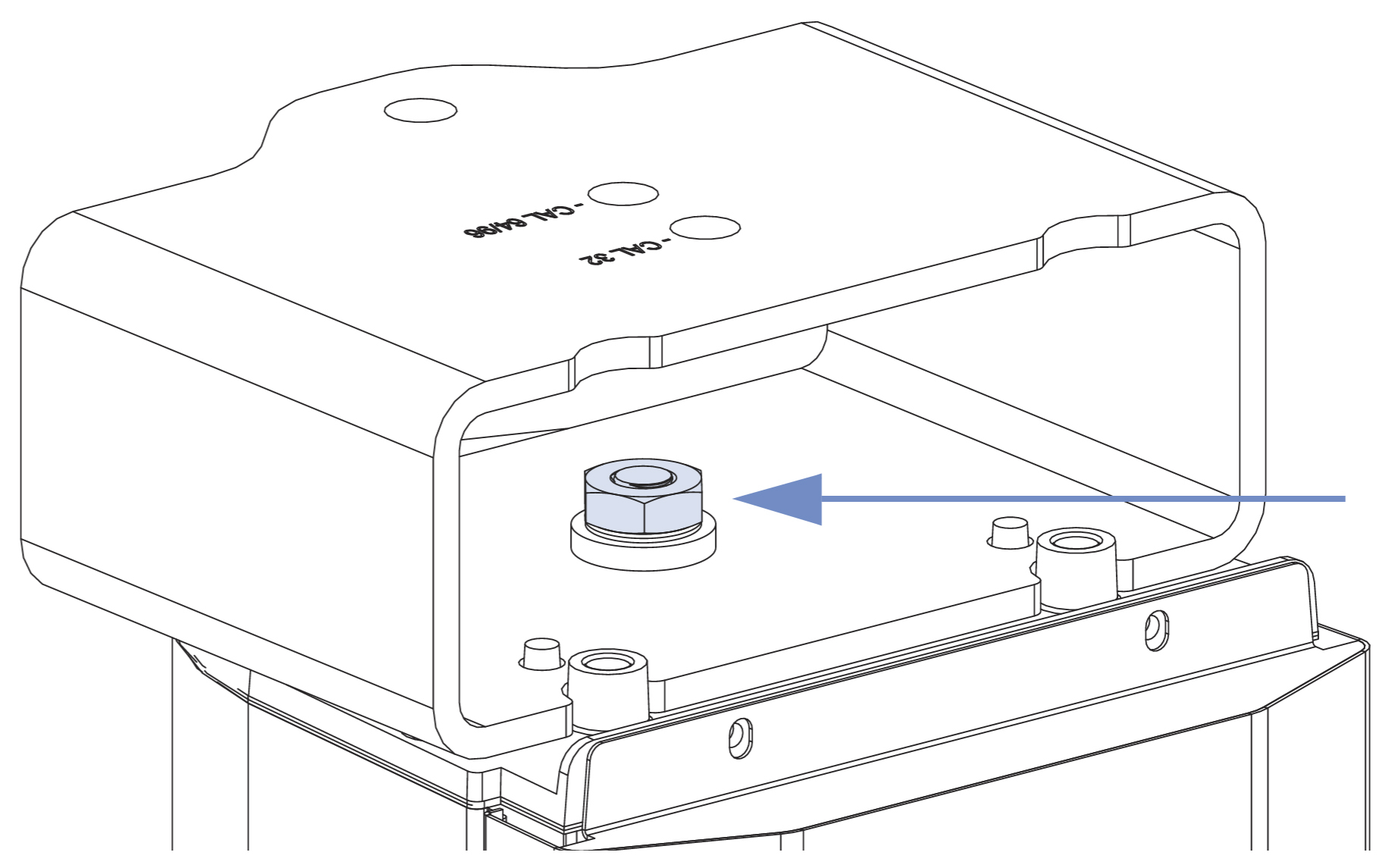
Reattach the nut removed in Step 2 (PN 109.051). Meyer Sound recommends applying the included Loctite and using a torque value of 30 ft-lb (40.5 N·m).
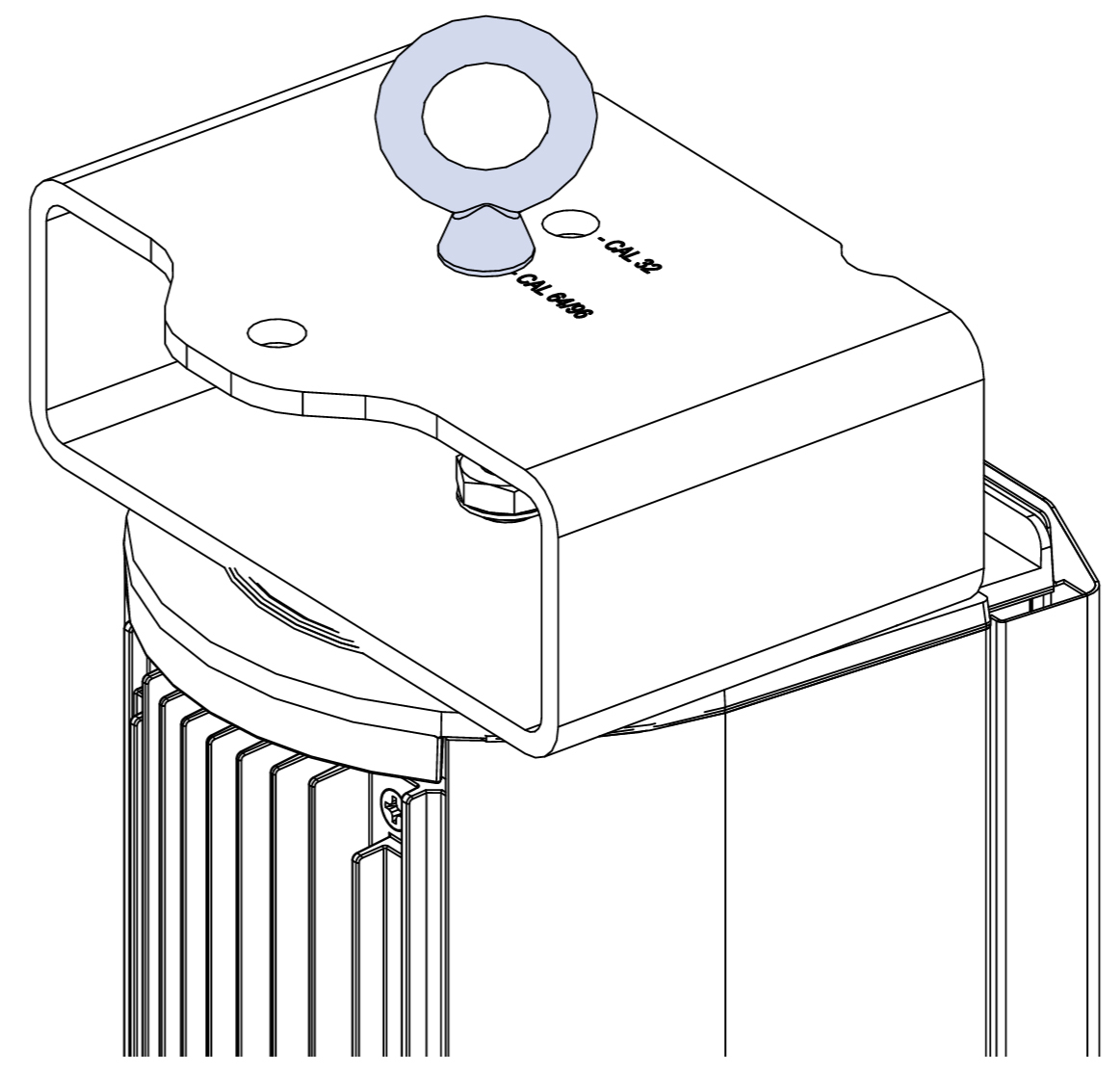
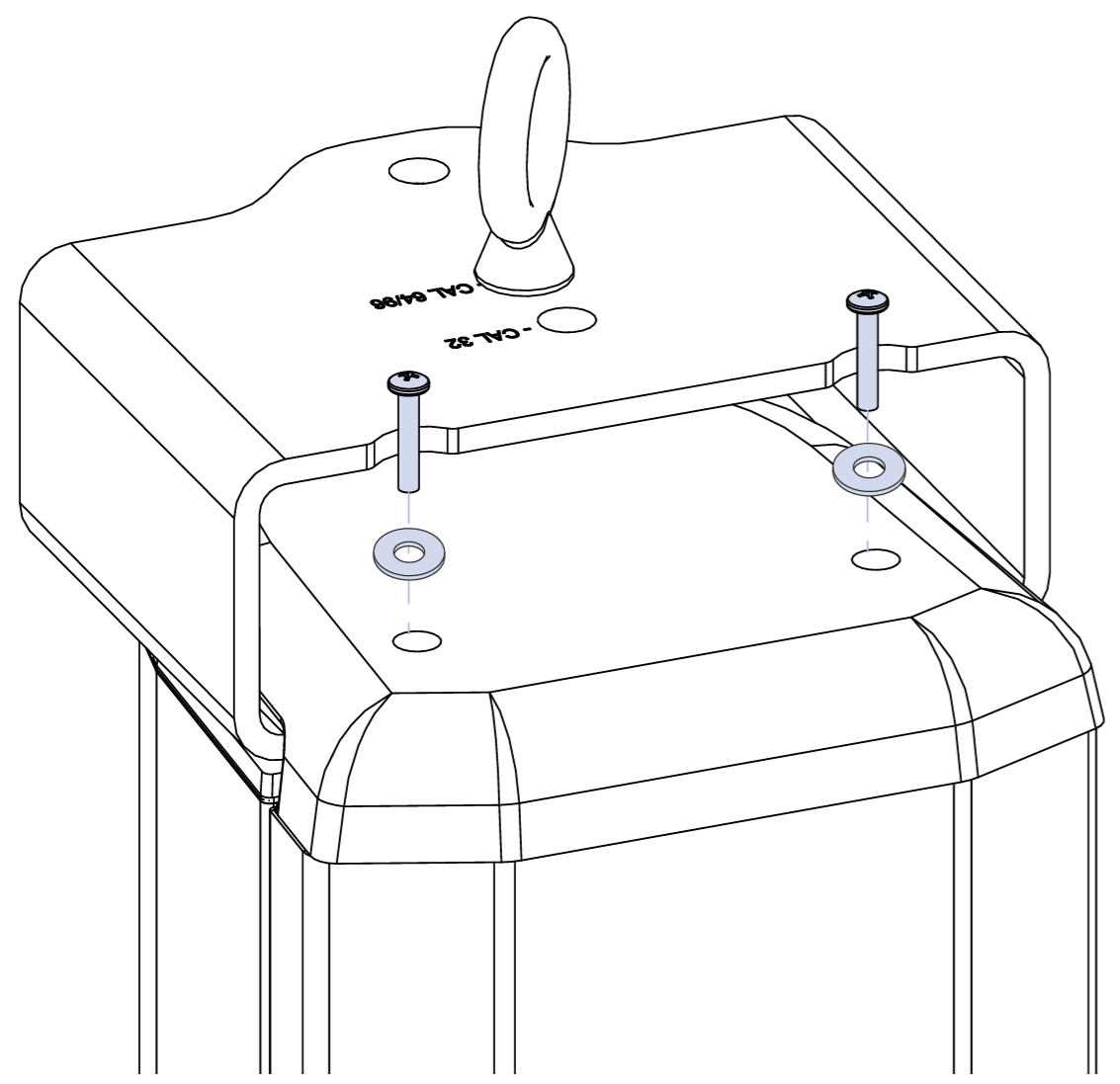
Install the eye bolt into the correct hole for the speaker being used. Use the washer (PN 113.043) and the nut (PN 109.053) supplied. Meyer Sound recommends applying Loctite and using a torque value of 30 ft-lb (40.5 N·m).
Caution
There is one hole for the CAL 32 and the other is for CAL 64 or CAL 96.
Slide the dress cap over the single point hang bracket.
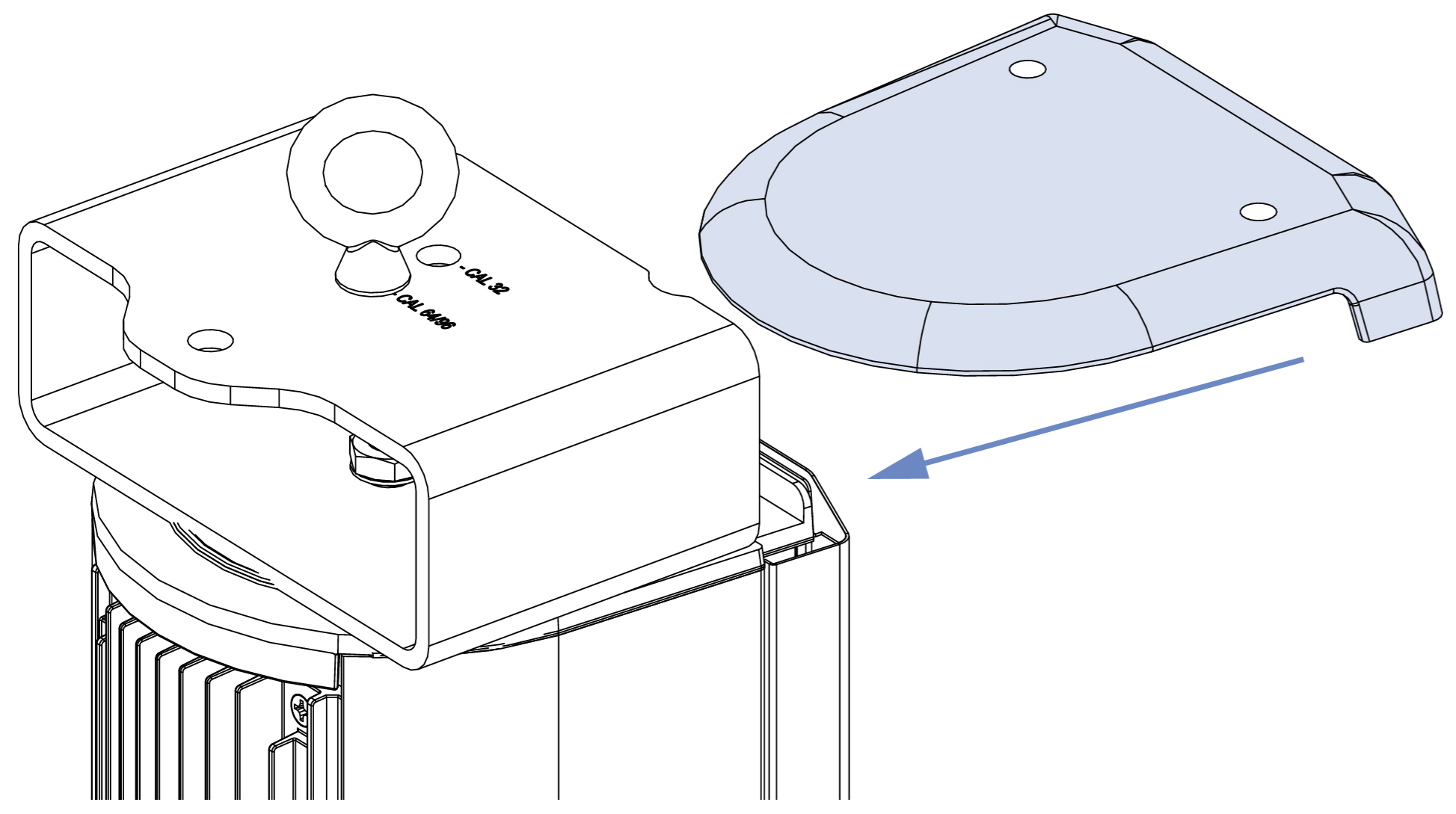
Secure the dress cap with the screws and sealing washers (PN 119.061) removed in step 1. There are 2 extra washers included in the kit in case the original ones are damaged. Meyer Sound recommends applying the included Loctite and using a torque value of 22 in-lb (2.5 N·m).
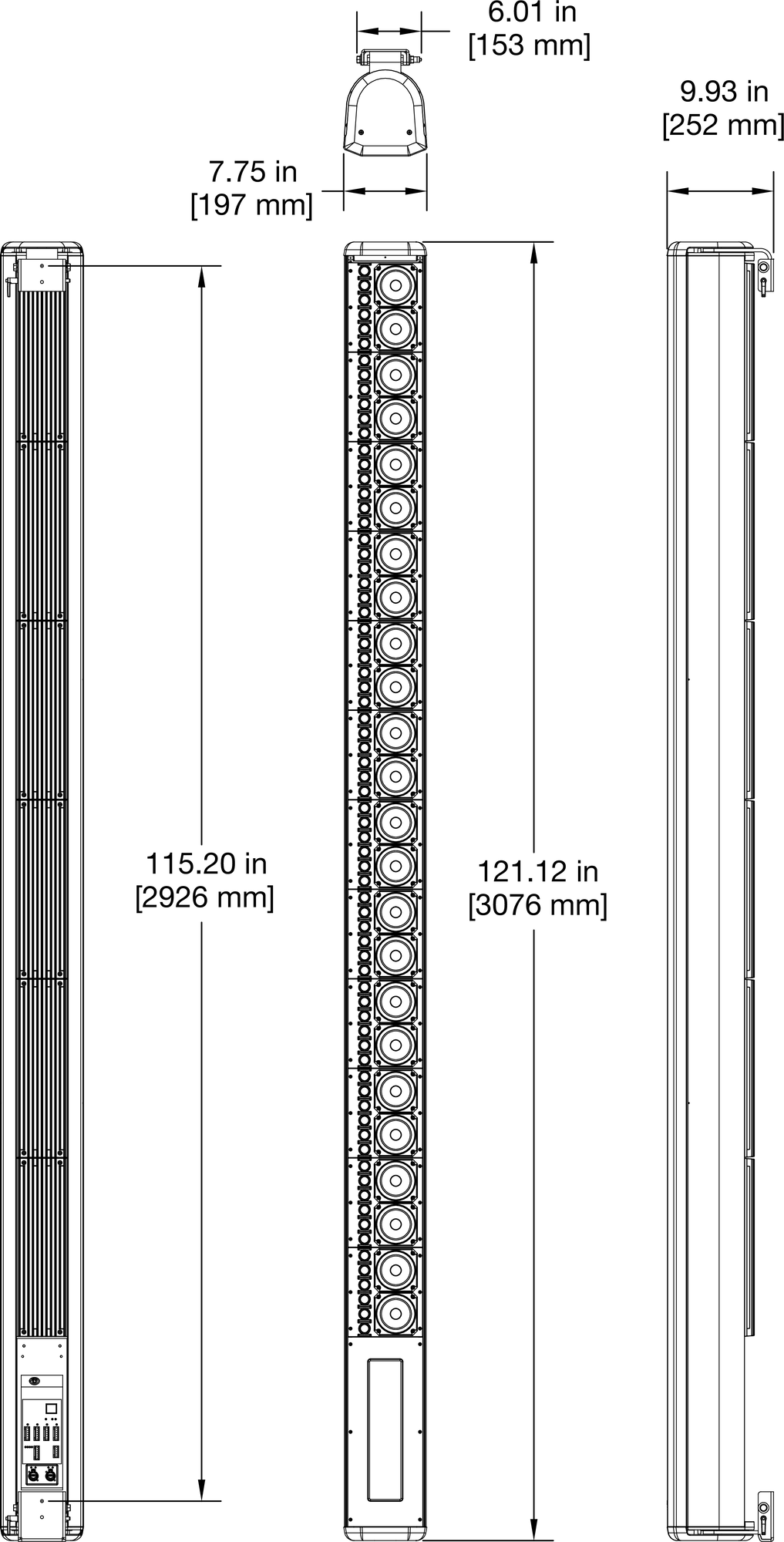
CAL 96 Dimensions
 |
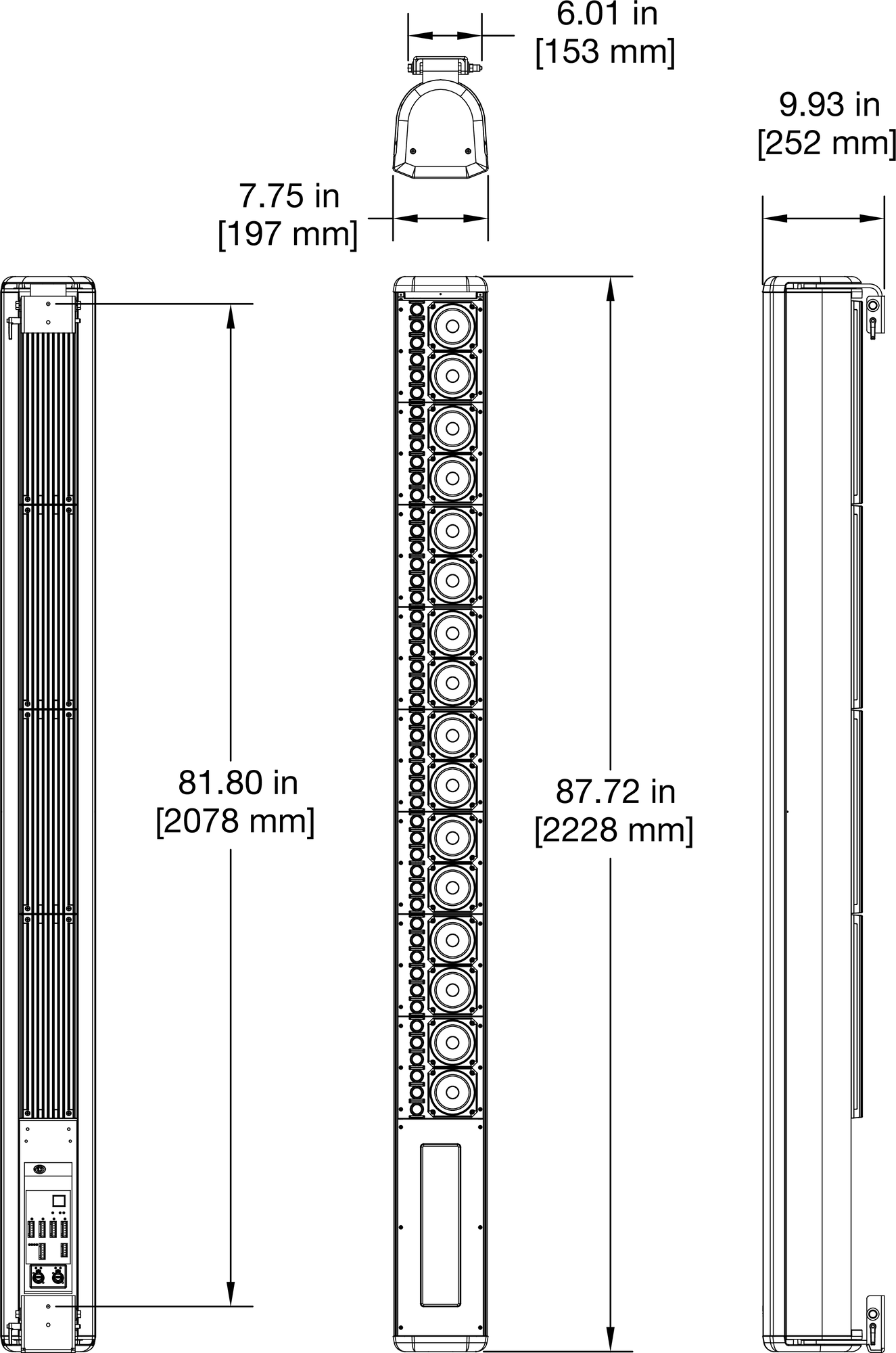
CAL 64 Dimensions
 |
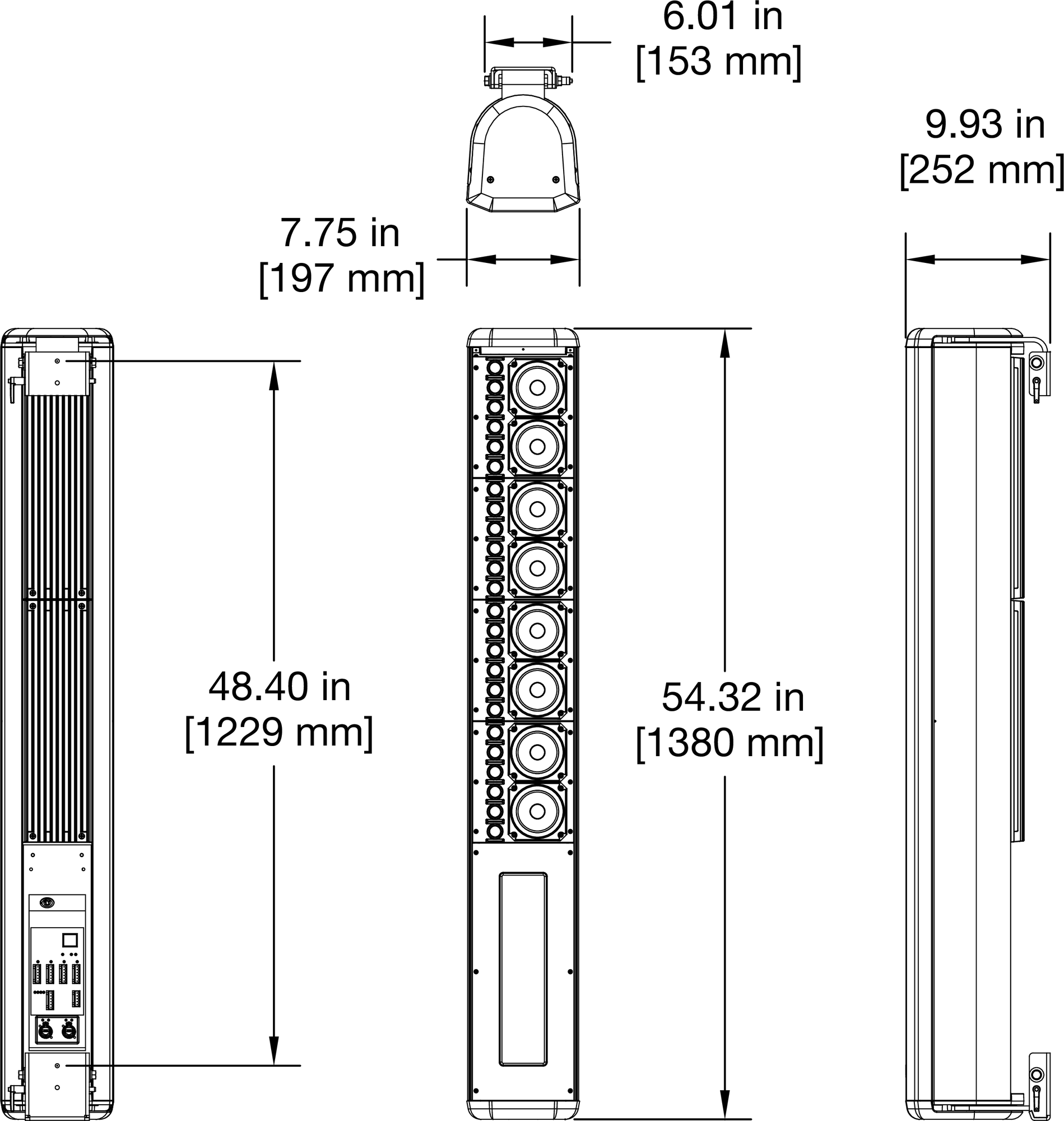
CAL 32 Dimensions
 |