Configure Luminex Gigacore 10 for Milan and MSLI

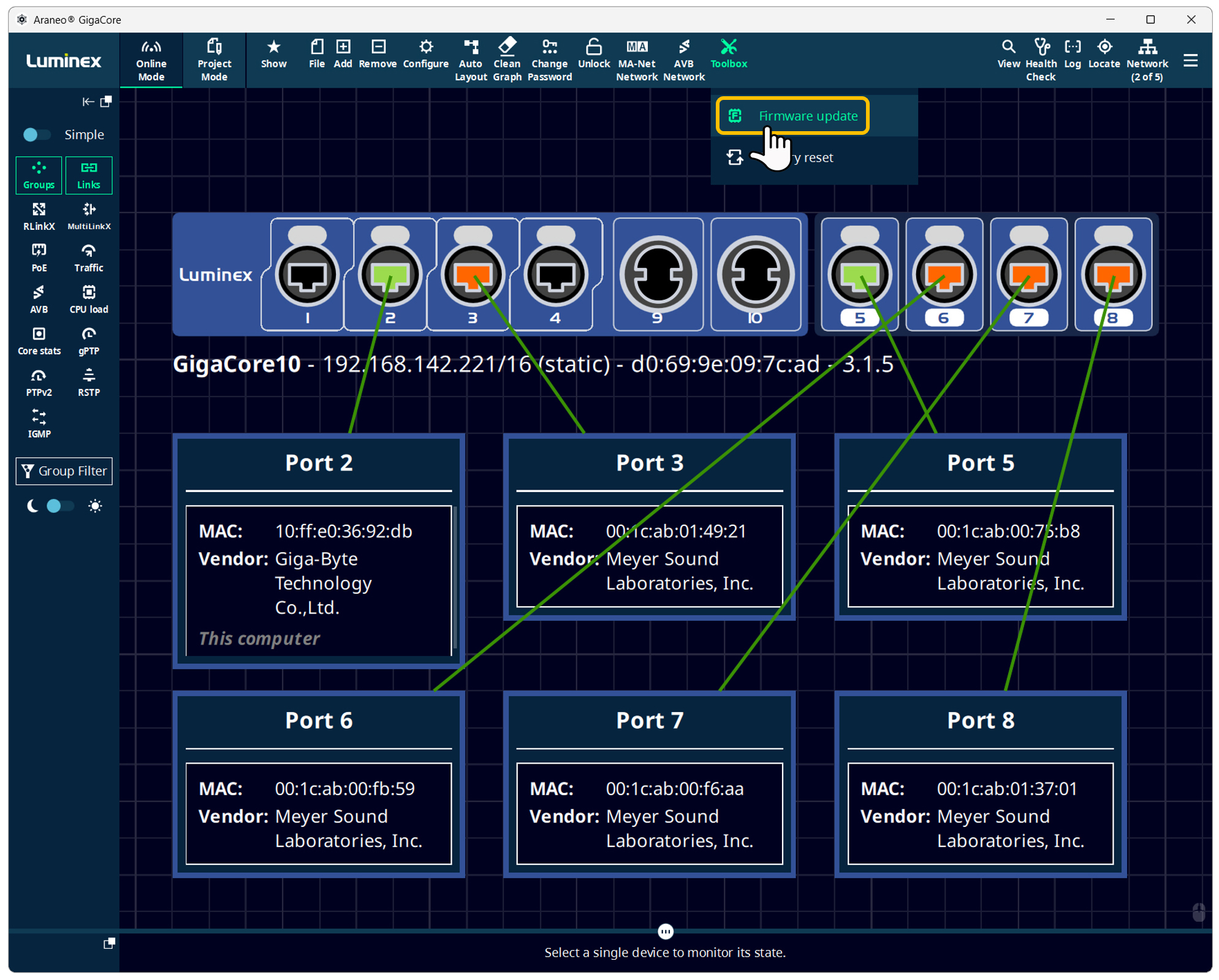
Luminex GigaCore switches are Avnu Certified with firmware version 2.8.0 and later. All GigaCore switches, including legacy devices already installed in the field, will be able to receive this firmware update. No additional service charges or licenses will be required to perform the update and enable the AVB feature set.
Before starting
Connect the switch(es), name them, and set their static IPV4 addresses.
Ensure all Luminex switches have the latest firmware version installed.
Enable AVB
Connect to the Web Interface of the Luminex switch, then log in.
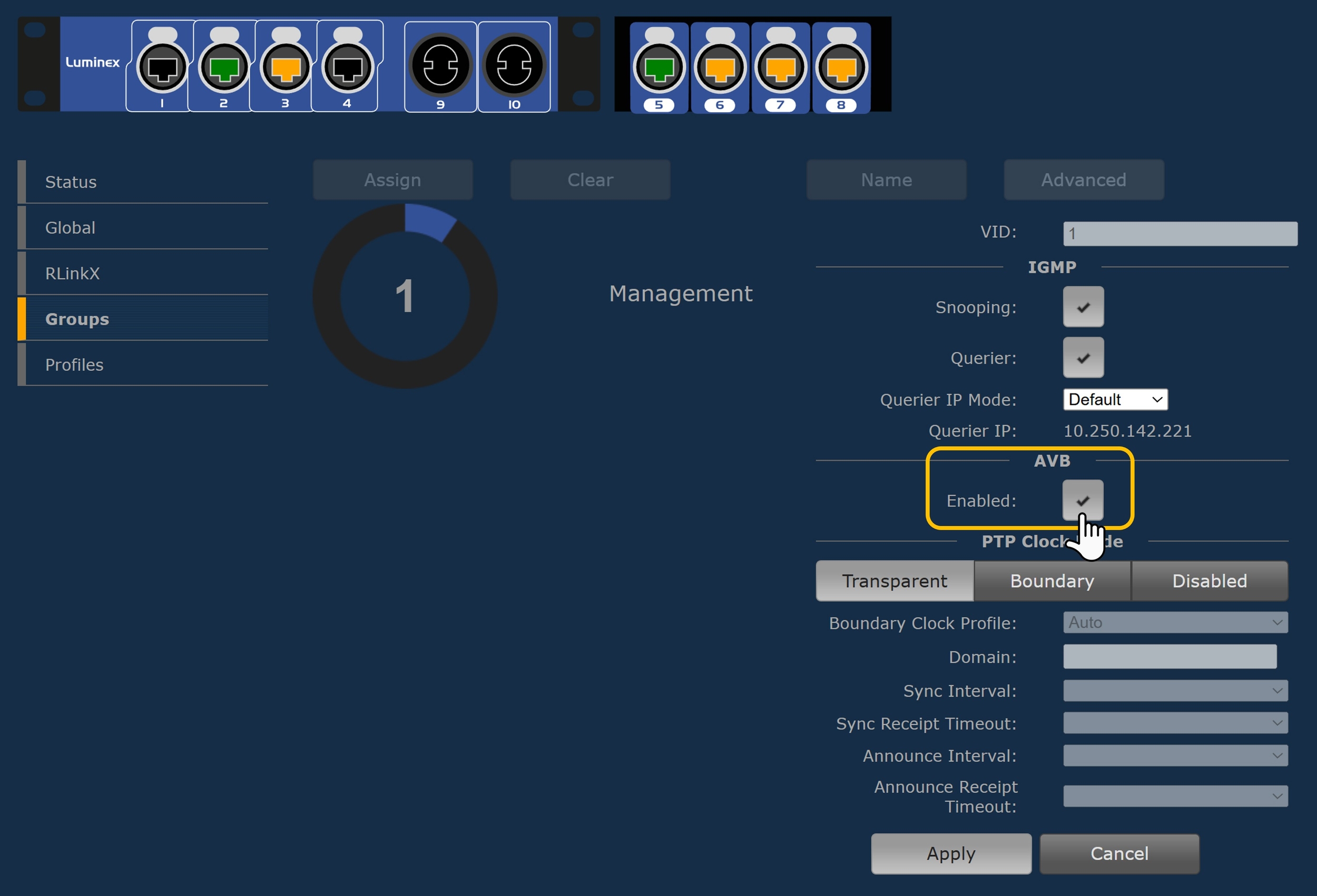
Select Groups.
Select a group, then select the ports that need AVB enabled.
Select Advanced
Select the AVB Enabled: check-box, then click Apply.
Note
AVB is enabled by default on Group 1 / Management Group, but if you segment your network, you must manually check it for Groups 2, 3, etc.).
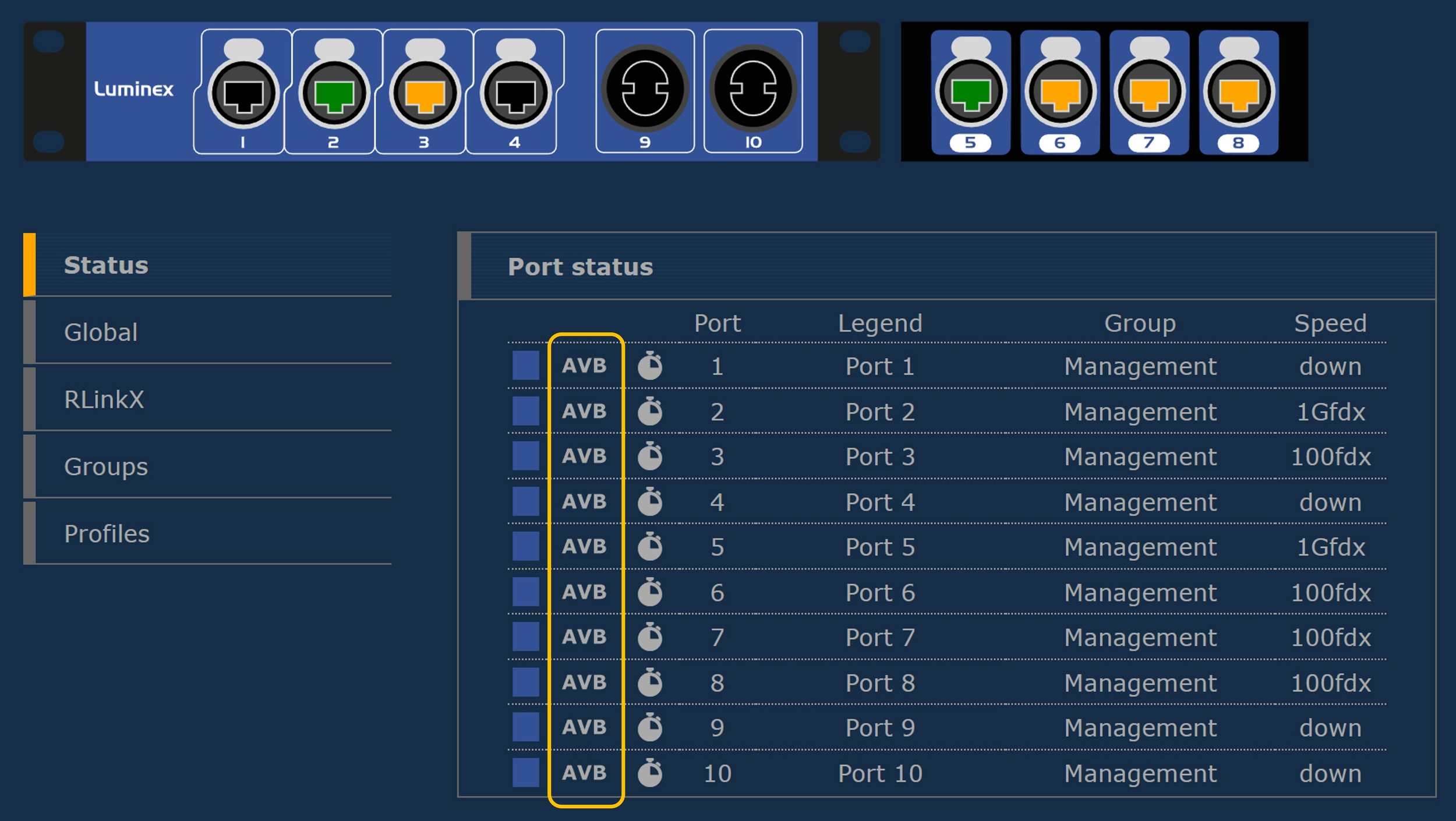
Verify enabled AVB ports
Connect to the Luminex switch web interface, then log in.
Select Status.
Assign Group Inter Switch Link (ISL) ports (optional)
Connect to the Web Interface of the Luminex switch, then log in.
Select Groups.
Select group 0, then click Advanced.
Click Retrieve now, then click Apply.
Note
Multi-Switch Synchronization: If you are linking multiple GigaCore switches, ensure the interconnecting ports (ISL/Trunks) are members of the same AVB-enabled Group. This allows the gPTP clock packets to pass seamlessly between switches.
Configure gPTP master clock for each AVB domain
Check Sync Status: Navigate to the Global Settings or Status page in the web UI. Look for the PTP / Clock Status section to confirm that the switch has either elected itself as the Grandmaster or is successfully locked to your external AVB hardware master clock.
Note
VLAN Separation: Do not mix standard traffic or other clock domains (like Dante PTPv1) in the same Group where AVB is enabled
Port Speed: Ensure all endpoints and trunks are linked at a minimum of 1000Mbps (Gigabit), as AVB reservation protocols require stable gigabit links for clock precision.
Verify the Master Clock: Luminex GigaCore switches use gPTP (IEEE 802.1AS) for AVB synchronization. When you enable AVB on a Group (VLAN), the switch automatically participates in the gPTP clock election.